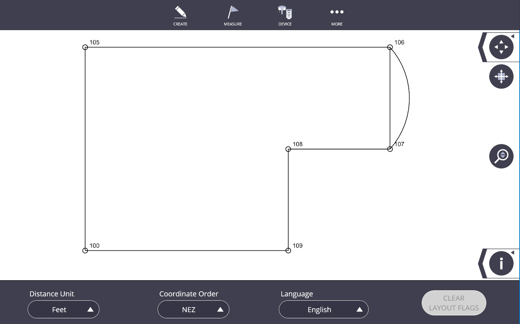
Job Settings
Setting of the project including the Distance Units, Coordinate Order, Language and Clear Layout Flags can be modified under Projects.
-
Tap the More
 icon.
icon. -
Tap Project and then tap Settings.
-
Select the Distance Units:
-
Select Meters to show distances using metric units.
-
Select Feet to show measurements in decimal feet.
-
Select Feet-Inch (1/16”) to show measurements to the closest 1/16”.
-
-
Select the Coordinate Order to define how points are imported or exported. Depending on the type of software used to create or import points, the points may need to be in (X,Y,Z) or (N,E,Z)= (Northing (Y), Easting (X), Elevation (Z).
-
Several different languages are also available including English, Spanish, French, Dutch, German, Italian, Portuguese, Japanese, Korean and Simplified Chinese.
-
To reuse the layout point locations without the attributed detail of the already positioned data then you can tap on the Clear Layout Flags button.