Step 1. Activate warranties, install options, install radio frequencies, and update firmware
-
On your computer, download and install Trimble Installation Manager from install.trimble.com/.
-
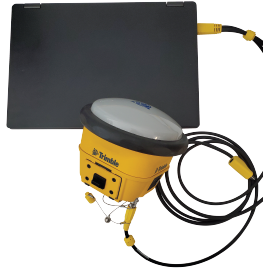
Connect the receiver to your computer using the Lemo-to-USB accessory cable (PN 80751).
-
Start Trimble Installation Manager.
-
Select the Receiver tab and click Connect.
