Parts of the receiver
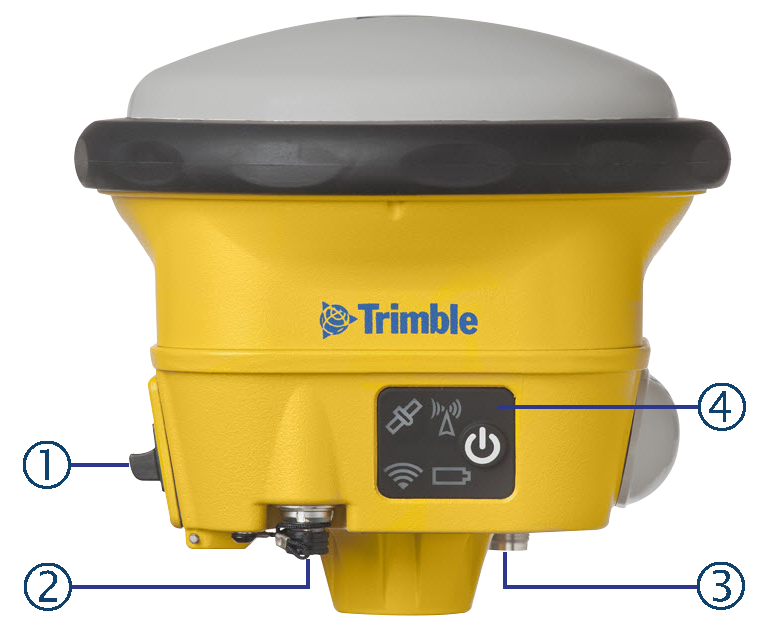
Ports and connectors are located on the bottom of the unit.
|
① |
Battery door |
③ |
TNC radio antenna connection |
|
② |
Lemo port |
④ |
Front panel |
Front panel
The front panel contains the Power button and four indicator LEDs.
-
The Power button controls the receiver’s power on or off functions.
-
The indicator LEDs show the status of power, satellite tracking, Wi-Fi, and radio reception.

|
Icon |
Connections |
|---|---|
|
|
Power button |
|
|
Satellites and position |
|
|
Radio GNSS corrections |
|
|
Battery status |
|
|
Wi-Fi and Bluetooth |


The LEDs on the front panel indicate various operating conditions. Generally, a lit or slowly flashing LED indicates normal operation, an LED that is flashing quickly indicates a condition that may require attention, and an unlit LED indicates that no operation is occurring. For more information, see Button and LED operations.
