What's new in version 6.28/5.68 (January 2025)
We recommend that you carefully review this information for any possible impacts to workflows and take appropriate action to avoid disruptions.
CAUTION – All data files in the receiver are deleted when you install new firmware. Before you start, ensure that you first download any data files from your receiver to your computer.
For information about software compatibility, see Supported software.
Main changes and improvements
Galileo HAS. Galileo HAS (High Accuracy Service) support added for Trimble ProPoint® technology. To enable HAS support, the receiver options must be updated using Trimble Installation Manager (TIM). The Galileo High Accuracy Service (HAS) is available through the Galileo signal (E6). To configure it, go to Tracking.
NOTE – Galileo HAS is supported from firmware version 6.28. Galileo HAS has reached service level 1, which means “reduced coverage and performance with respect to the Full Service”. For example, the phase biases are still missing in the correction stream. Currently, Trimble cannot guarantee the convergence time specification at least until phase biases are provided. For more information, refer to https://www.gsc-europa.eu/galileo/services/galileo-high-accuracy-service-has.
IonoGuard improvements. The goal of these changes is to make IonoGuard available by default in the situations where it provides value with minimal risks. The primary risk is very poor base station location. For safety, IonoGuard can be disabled if required. New mode selection and default setting. The following modes are now available:
-
Disabled – The receiver will not perform any IonoGuard processing.
-
Enabled without Fallback Mode – [Default] If the base station has IonoGuard enabled. Ionospheric disturbance detection runs at the base, and the disturbance information is sent to the rover receiver via RTCM/CMRx messages. If the base station does not have IonoGuard enabled, then IonoGuard is disabled at the rover.
-
Enabled with Fallback Mode – If the base station does not have IonoGuard enabled, the rover will perform Ionospheric disturbance detection when the data received from the base station does not include IonoGuard messages.
Fallback mode allows the rover to calculate IonoGuard positions without receiving IonoGuard messages from the base. With Enable without Fallback mode, IonoGuard positions are only calculated if the base is transmitting IonoGuard messages. To prevent spikes in the radio throughput due to IonoGuard messaging, the messages are now transmitted over several epochs to smooth the bandwidth usage.
To configure IonoGuard, select Receiver Configuration / General.
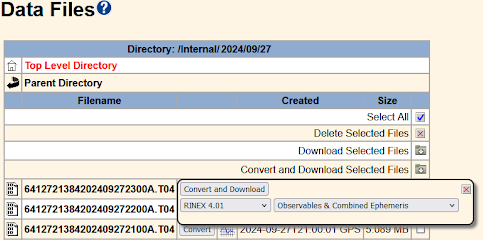
RINEX 4.01. Added new GPS L1 and L2 observation Code for RMP antenna (code names are now reserved) and added the new NavIC L1 observation code. See Data Files.
General improvements and fixes
Tectonic plate transformation. Updated the receiver web interface to reflect tectonic plate transformation occurring for RTX, CLAS and HAS. To configure RTX, see MSS Configuration. To configure QZSS CLAS (on QZSS L6D signal) and Galileo HAS (on Galileo E6 signal), see Tracking.
