Removing and inserting battery packs
The battery pack in the T10x tablet (2024) can be charged inside the device, or using the Battery charger accessory (Trimble T10x Battery Charger Kit / single battery P/N 114113).
The battery pack in the T10x tablet (2024) is also hot swappable; you can remove the battery pack while the T10x tablet (2024) is still running, and replace it with a freshly charged battery pack without shutting down or needing to restart the device.
-
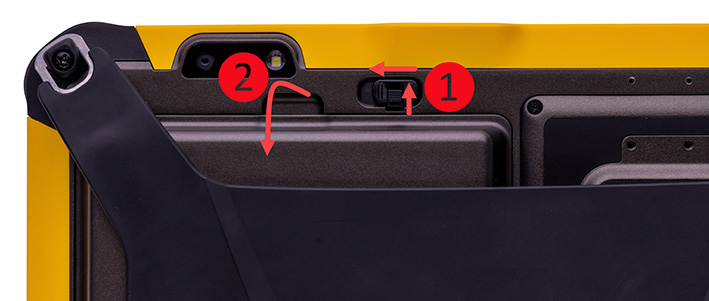
Slide the latch to the unlocked position
-
Lift the battery pack from the battery compartment.
-
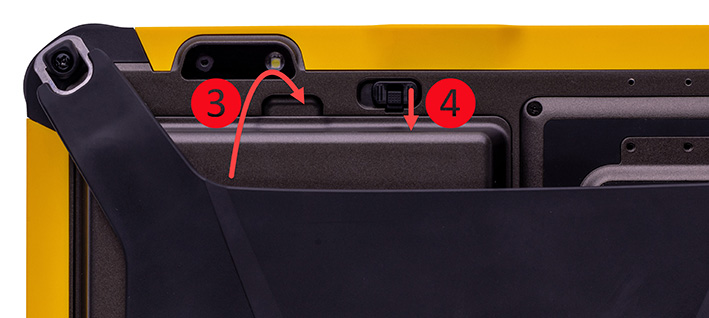
Insert a charged battery pack into the battery cavity—insert the bottom of the battery first to allow the battery tongues to seat correctly.
-
Slide the battery latch to the locked position.
If you require additional battery packs, contact your local Trimble Authorized Reseller.
