Installing a SIM card
To use the integrated 4G cellular data modem, you will need a nanoSIM card and a data plan from your local cellular service provider. If you are unsure, check with your mobile operator.
-
If the device is on, turn it off; tap-hold
 , then tap Shut down or sign out/ Shut down.
 -
If you have an Empower module installed, use a Phillips screwdriver to loosen the screws to remove the module.
-
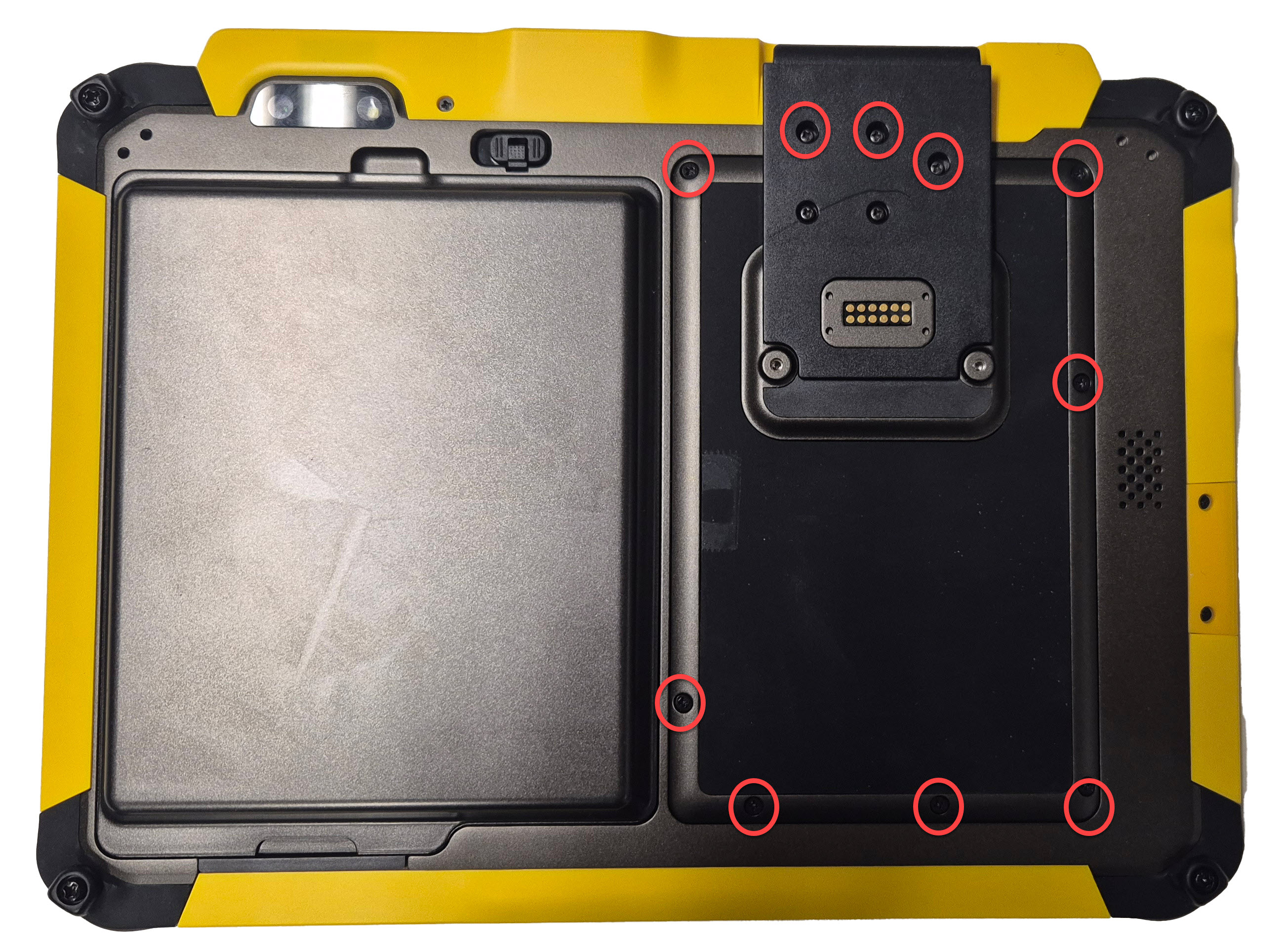
Use a Phillips screwdriver to loosen the screws to remove the cover.
Completely remove the screws and secure them somewhere safe to prevent losing them. If you do not remove them completely they will fall out when you fold back the cover.
Only remove the screws circled in red, as shown in the image below:
-
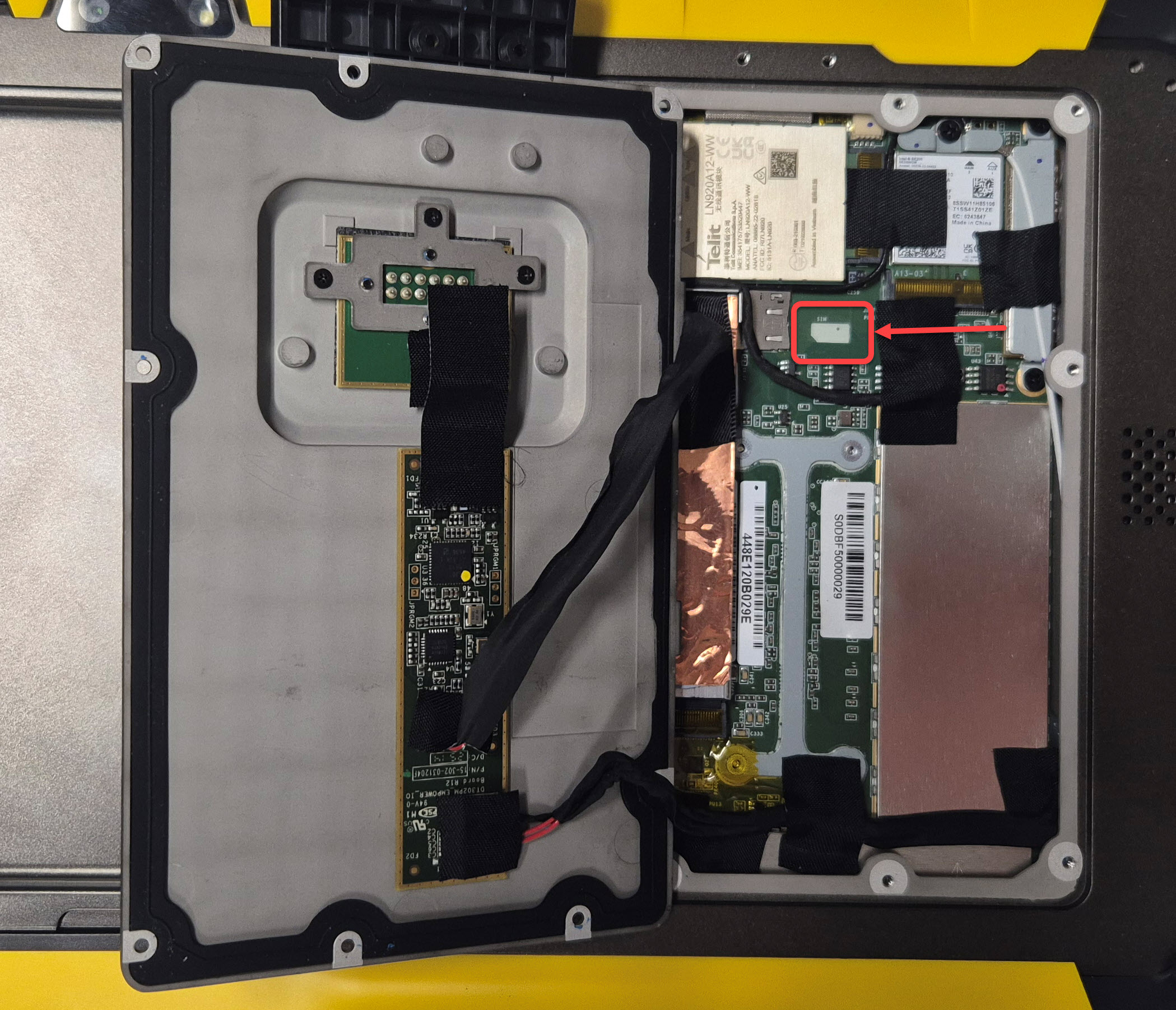
The cover is attached to the main board, so take care when opening it; it cannot be fully removed. Carefully lift it up then fold it back to the left.
-
The SIM card is most easily inserted by putting its contacts down on the board. Slide it into the SIM slot until it clicks in.
-
Fold back the cover, reattach the screws, and if using a module, re-attach it (see Using Empower modules).
Should you need to remove the SIM, push it in so that it pops out.
