.vcl
A project link file that contains most* of the data that regular .vce project file contains, but in a format that is suitable for transfer. Therefore, object dependencies are maintained, and intelligence is retained with no loss of (or change to) objects when you transfer data. Because the native objects (and relationships between them) are preserved when you exchange project link files, you gain the flexibility to create and share both all-inclusive projects and subsets of projects.
Difference between Office > Office VCLs and Office > Field VCLs
When exchanging data between TBC projects using VCL import, ‘intelligent’ dependencies (and dependent objects) described above are retained.
When sending data from TBC to field systems as designs (that the firmware opens) via WorksManager, dependent objects for surfaces and road surfaces (e.g., the points and lines that define them) are not included. Typically, those objects are not needed for field work, and eliminating them makes the VCL files much smaller and usable by the field devices and machine controllers.
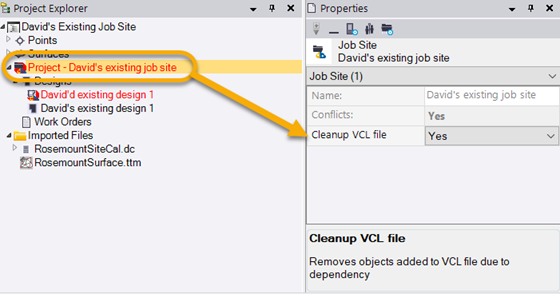
This behavior is controlled by the Cleanup VCL file property in TBC. By default, this property is set to Yes for WorksManager projects. To change the setting, click a WorksManager project in the TBC Project Explorer, press F11 to open the Properties pane, and change the Cleanup VCL file property. Then, dependent objects will once again be sent to the field in VCL designs when using WorksManager as the intermediary.