Convert to Multiline Text
 Convert to Multiline Text enables you to convert CAD text to CAD Multiline text within TBC.
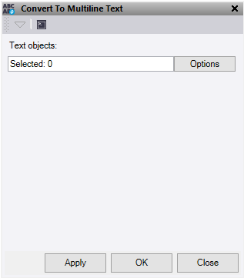
- Click in the Text objects field and then in a graphic view select the data you want to convert. Click Options for additional options.
- Do one of the following:
- Click Apply to apply the changes and keep the Convert to Multiline Text command pane open.
- Click OK to apply the changes and close the Convert to Multiline Text command pane.
Note: This command only works on CAD Text data.
