Explode Text
 The Explode Textcommand enables you to explode any Text item into linework. This allows for better presentation and export for some third-party packages.
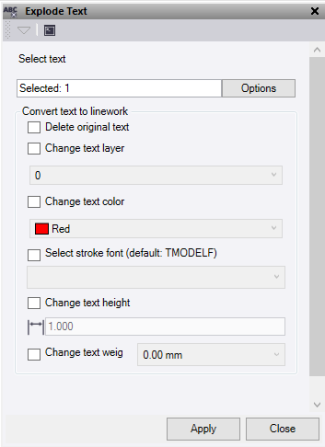
- Click in the Select Text selection field and then in a graphic view select the data you want to explode. Click Options button for additional selection options.
- Click Delete original text to delete the source text after exploding.
- Click Change text layer to place the lineworkonto a new layer. Select the new layer from the dropdown list.
- Click Change text colour to change the color of the linework. Select the new color from the dropdown list.
- Click Select stroke font to choose afont style to use when creating the linework. Select the new font from the dropdown list.
- Click Change text height to change the height of the linework. Enter the new text height.
- Click Change text weight to change the line weight. Enter the new line weight.
- Click Apply to explode the text and keep the Explode Text command pane open, or click Close to end and close the Explode Text command pane.
