Match 12d Attributes
 The Match 12d Attributes command enables you to select a source object containing 12d attributes and match (copy) them to target objects.
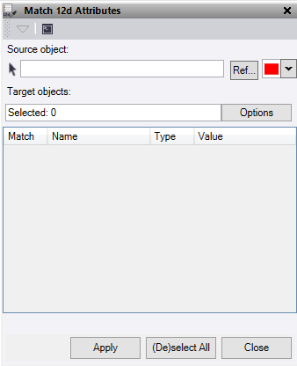
- Click in the Source object field, then in a graphic view select the object to copy 12d attributes from. Optionally, change the selection highlight Color for lines, or click Ref to select a reference file.
- Click in the Target objects field, then in a graphic view select the data to match the 12d attributes onto. Click Options for additional selection options.
- De-select any specific 12d attributes to not match in the table.
- When matching 12d attributes:
|
If the target object... |
Results: |
|
Includes existing 12d attributes. |
The selected source object attributes replace the target object attributes completely. |
- Click Apply to replace the 12d attributes on the target objects.
- Click Close to end and close the Match 12d Attributes command pane.
