Show Line Direction Options
 The Show Line Direction Options command shows the direction (plan and 3D view) of selected lines. It does not require a command to be open to operate. The command is used to turn direction arrows on and off, and set their color and size.
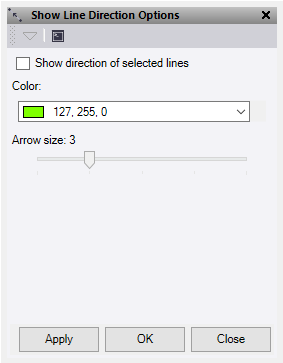
- Check Show direction of selected lines to enable the direction arrows. This persists within the project until turned off.
- Select a Color for the direction arrows.
- Use the slide to adjust the Arrow size.
- Click Apply to apply the changes and keep the Show Line Direction Options command pane open, or click OK to apply the changes and close the command pane.
