Segment Count
 TheSegment Count command enables you to count the total number of horizontal segments in the selected lines. This is useful for checking the segment numbers of avoidance zone polygons, which have a maximum number allowed in Earthworks machines.
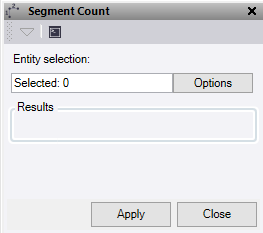
- Click in the Entity Selection field, then in a graphic view select the data to count. Click Options for additional selection options.
- Click Apply to count the horizontal line segments.
The Results are shown for the number of lines selected, and the total number of horizontal segments.
- Click Close to end and close the Segment Count command pane.
