Moving a sensor
You can use the map to move a sensor. This changes the location of the sensor throughout Trimble 4D Control Web.
You can move only one sensor at a time. You cannot move a sensor that is clumped too close to other sensors.
To move a sensor:
-
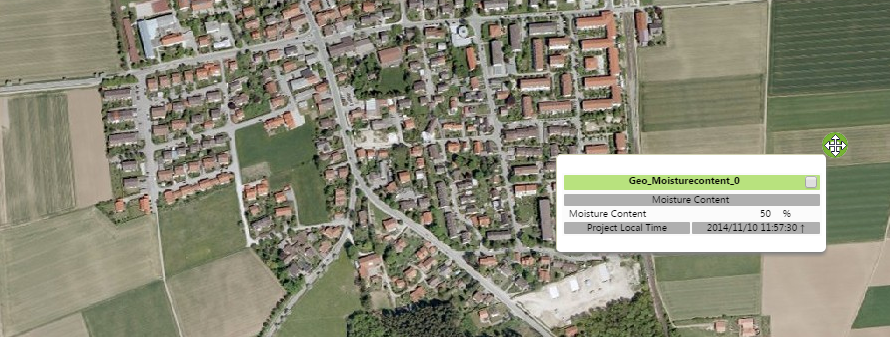
Hover the mouse cursor over the sensor and notice the mouse cursor change to a move cursor.
-
Click and drag the sensor to the new location on the map, and then release the mouse button.
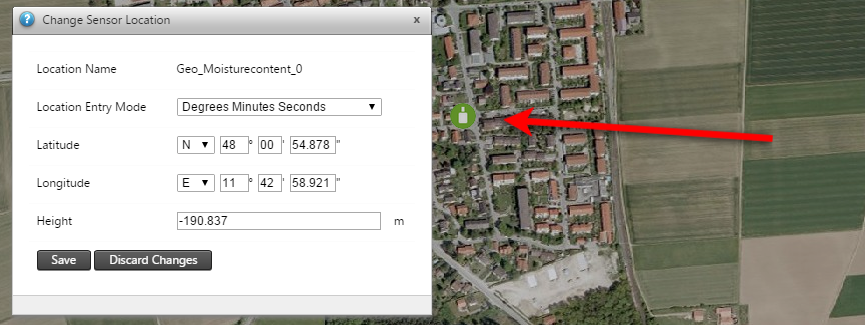
The Change Sensor Location dialog appears:
-
The Change Sensor Location shows the new map coordinates where you have dragged the sensor. Edit these values if required (this will not trigger automatic updates of the grid coordinates).
-
Click Save to confirm the change of sensor location. To return the sensor to its previous location, click Discard Changes.
