Display sensor properties and latest readings
To display properties for a sensor and the latest reading for the sensor, select the sensor using the filter controls in the Select Sensor panel at the left of the Sensors screen.
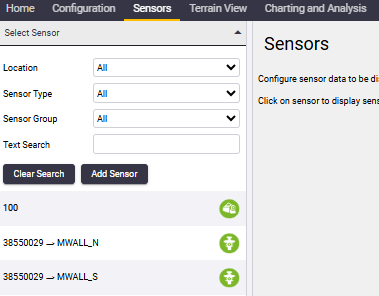
You can filter sensors by:
-
Location: The physical location of the sensor.
-
Sensor Type: The type of sensor.
-
Sensor Group: The sensor group to which the sensor belongs.
-
Text Search: Enter part of the sensor name.
Sensors that match the filter criteria are listed below the search filter controls. Click a sensor in the list to select it. The right hand pane will display the properties of the selected sensor.
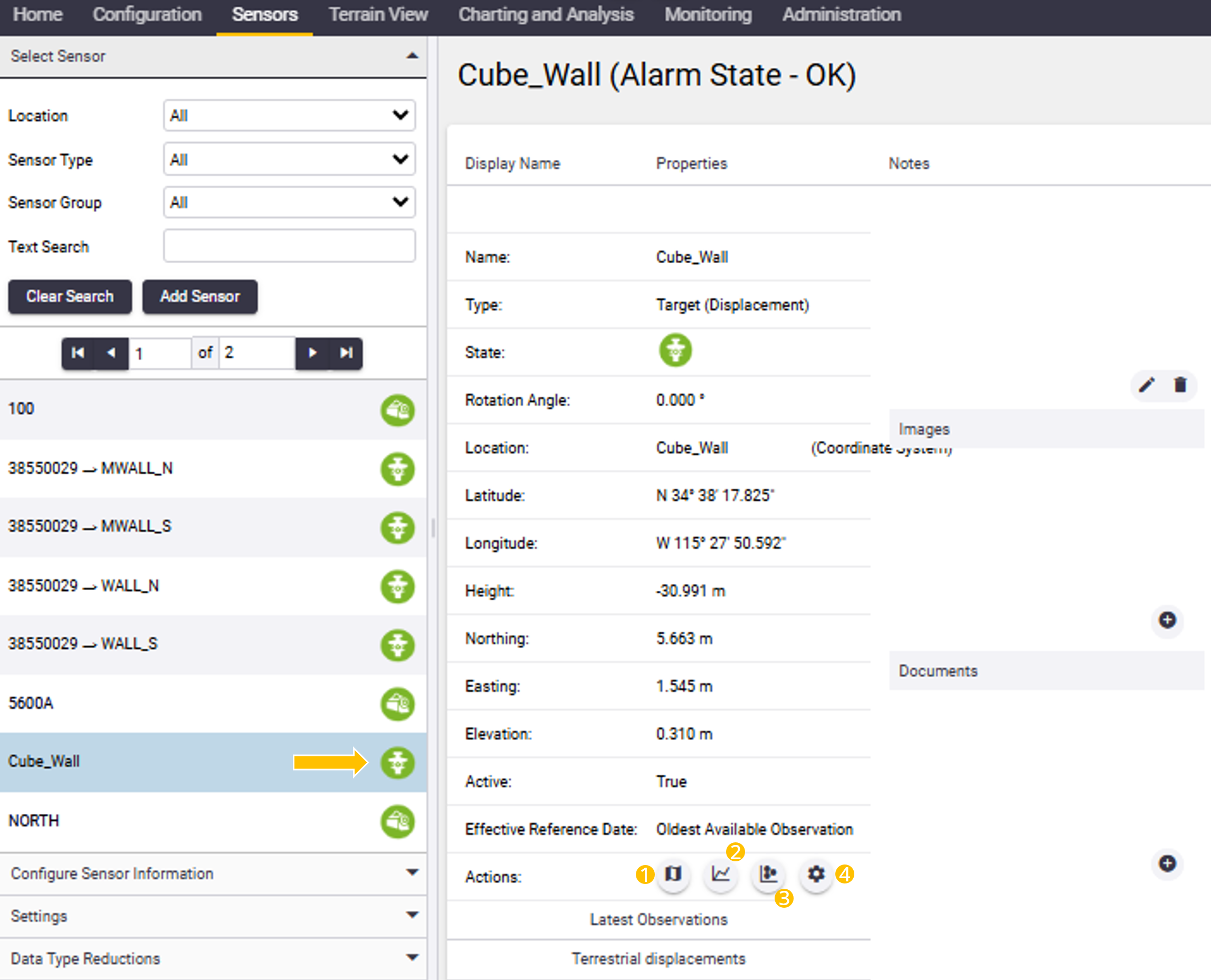
On the Sensor properties page you can navigate to other sensor information pages by clicking any of the action buttons:
-
To view a map of the selected sensor, click the Map View button (1).
-
To view a chart, select the Chart button (2).
-
To view the scatter plot, select the Scatter plot button (3).
-
To configure the reference date, select the Configuration button (4).
The buttons available on the sensor properties page depend on the type of sensor selected.
