Vibration Meter support
T4D supports the Worldsensing Vibration Meter, a wireless sensor for automated, long-term vibration monitoring. The sensor features a triaxial accelerometer with on-device edge processing, enabling rapid deployment with minimal training, making it highly scalable. Designed for fully autonomous field operations, the Vibration Meter offers up to 2 years battery life and transmits processed vibration parameters via LoRa radio with a communication range of up to 15 km.
You can combine vibration data from the Worldsensing Vibration meter with terrestrial, GNSS, or geotechnical sensors, allowing you to cross-reference and correlate vibration alarms with data from other on-site monitoring instruments.
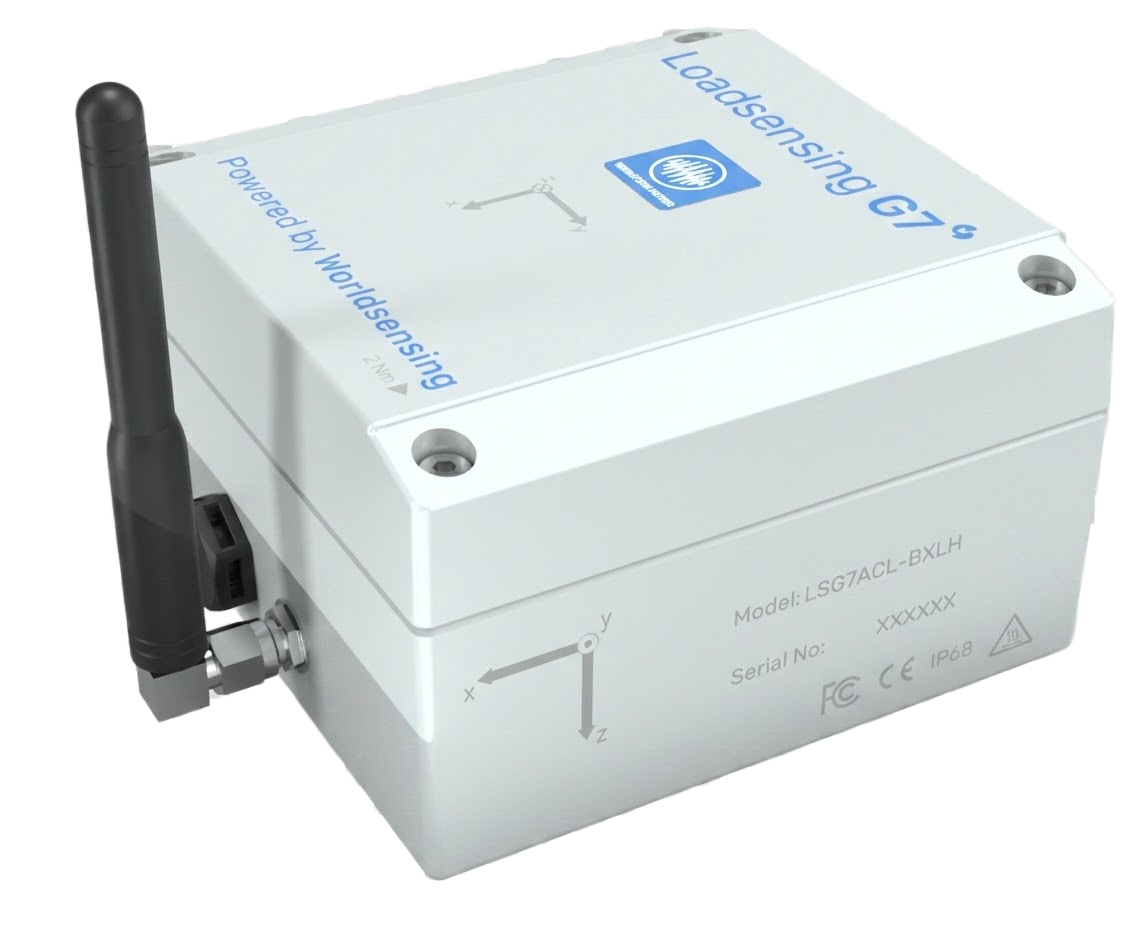
Worldsensing Vibration Meter
Supported Peak Particle Velocity (PPV) Operating Mode
T4D supports the Peak Particle Velocity (PPV) mode, which measures the maximum velocity at which the ground, a structure or a building shakes during a vibration event. The mode records the highest vibration spike (velocity) and its associated frequency across the x, y, and z axes. PPV mode is primarily used for building and structural integrity assessments, helping operators verify that vibrations remain within safe, regulated limits to prevent structural damage. Common applications include:
-
Construction monitoring near sensitive structures: Evaluates the impact of construction-generated vibrations on nearby buildings.
-
Near-field blasting monitoring: Extended frequency and amplitude ranges to handle the intense requirements of blasting operations. This allows operators to easily deploy permanent sensor networks and comply with vibration regulations.
Other operating modes - MTTV, PGA and PSA are currently not supported in T4D.
For installation guidance and additional information, please refer to the User Guide provided with the Vibration Meter.
Data Delivered by the Vibration Meter
The Vibration Meter delivers multiple data types for vibration analysis in T4D. In PPV operating mode, T4D supports the following data:
-
Peak-Particle-Velocity - PPV (Peak Velocity in T4D)
-
Maximum ground velocity recorded in each axis (X,Y,Z) during an event
-
-
Peak-Vector-Sum (Peak Velocity R in T4D) or composed vector
-
Maximum value of the composed velocity vector during the event, calculated as the quadratic sum of the X,Y, and Z components at each instant.
-
-
Predominant Frequency (Dom Freq in T4D)
-
Frequency (in Hz) where the majority of energy accumulates in the vicinity of the peak area (PPV), reported for each axis (X,Y,Z).
-
-
Event duration (Duration in T4D) - Total duration of the vibration event
-
Temperature - Sensor temperature information
The reported data includes a timestamp indicating the exact time when the event occurred.
The Vibration Meter reports up to 4 messages (sets of values) within a defined reporting interval. The data is based on designated analysis intervals (defined in Advanced node settings in CMT Edge).
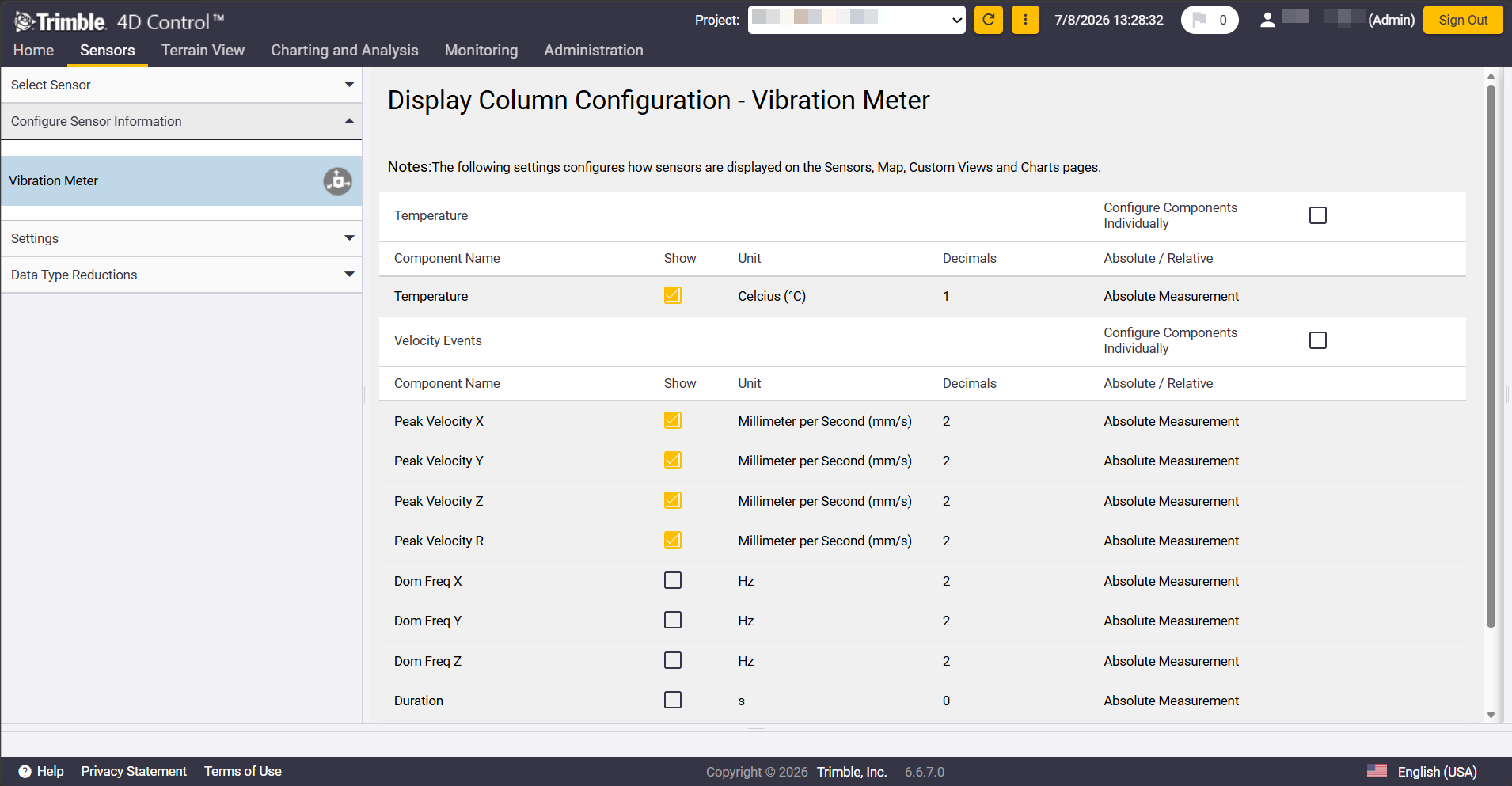
Available Vibration Meter data
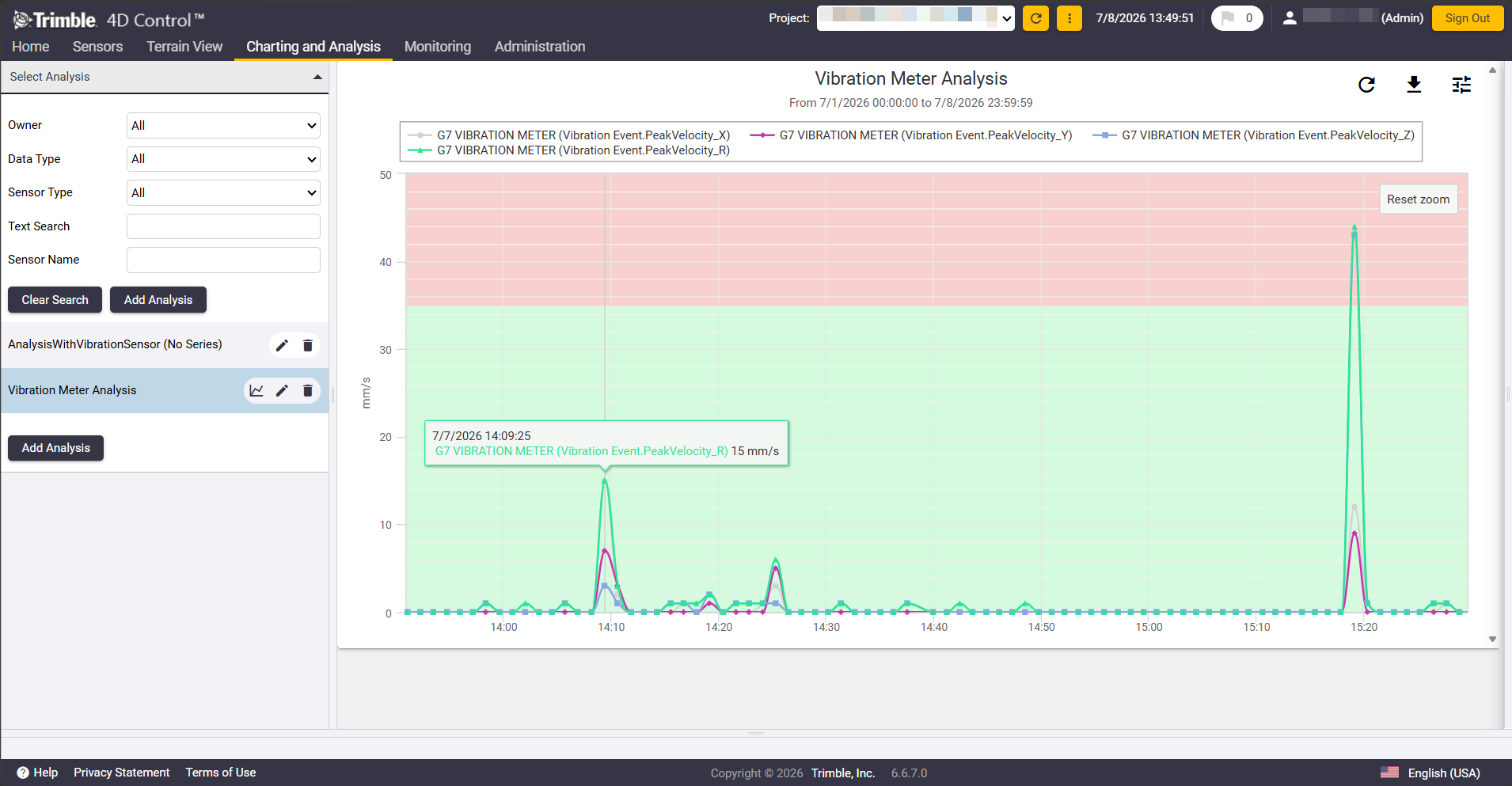 Vibration Meter Data in Analysis Chart
Adding Vibration Meter
The Vibration Meter must be integrated into a T4D Web project via Geotech Gateways, similar to other supported geotechnical sensors such as tiltmeters.
Alarming
You can configure "Peak" alarms for vibration events. This specialized evaluator automatically resets to "OK" status if the new "Vibration Event" value is lower than the specified Attention, Warning or Alarm threshold or if no Vibration event data is ingested for a period equal to 10 times the Alarm Evaluation frequency. You can still enable alarm Acknowledgement to ensure that sensor icons remain in the Attention/Warning/Alarm state until the alarm event has been acknowledged.
T4D Alarm Evaluation against PPV Event data ingested from the WSE Vibration Meter will only function reliably for Peak Velocities within the Dynamic Range configured on the Vibration Meter Node in CMT Edge.
Advanced Settings & Configuration Notes
Currently, enabled Alert Mode is not supported. Make sure it is disabled in CMT Edge so you do not miss any bigger vibration events that took place during a reporting period.
If the Transmission threshold is enabled, it ignores all the values below the defined threshold. The Vibration meter still sends one value per defined period. This value is not ingested in T4D due to the fact that it’s not a vibration event and as such will not be documented in the vibration events page.
Recommendation: Device reports temperature data based on defined reporting period. Creating a No Data Alarm for the temperature data is advised if you wish to receive notification in case data delivery stops.
If any node configuration changes happen in the CMT after the node has been connected to T4D, users must perform a refresh action to recognize these changes and maintain data flow via Administration → Projects → Geotech Gateways → Available Sensors → Refresh button.
