Accessing recently used files
The Recents section in the Sidebar provides a chronological list of the files that have been most recently added, moved, or modified on your device. It acts as an automatic log, helping you quickly find your latest files without having to remember where you saved them.
A file will automatically appear at the top of the Recents list when you do any of the following:
-
Copy or move files from external storage, e.g. from a connected USB drive, to the device's internal storage.
-
Copy or move files from one directory to another within the device's internal storage.
-
Add files to the device from an external source, such as using Quick Share.
-
Download any content from the internet directly to the device.
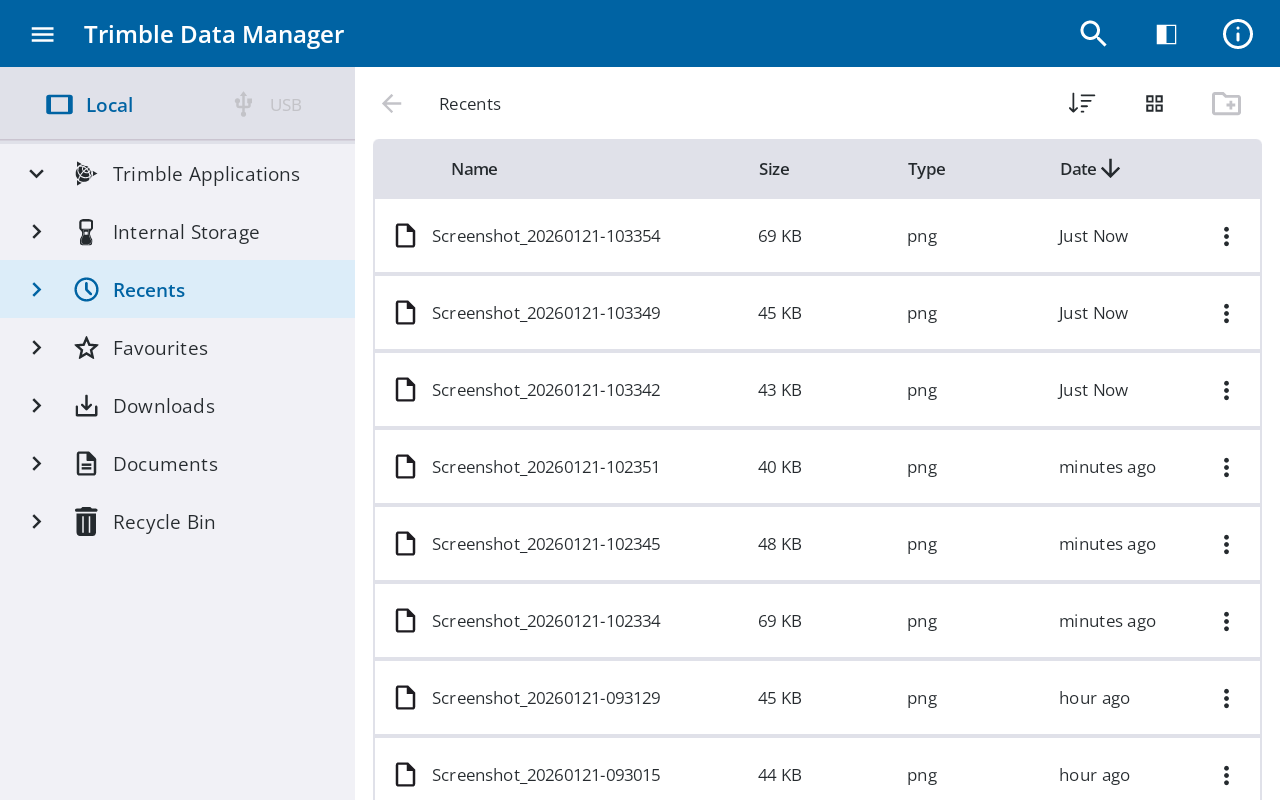
When you open the Recents section, each file is displayed with a relative timestamp (e.g., Just now, x minutes ago, x days ago) so you can easily see how recently it was handled.
To find the specific location of any file in the list, tap  to its right and then tap Open file location; the folder where the file is currently stored opens.
