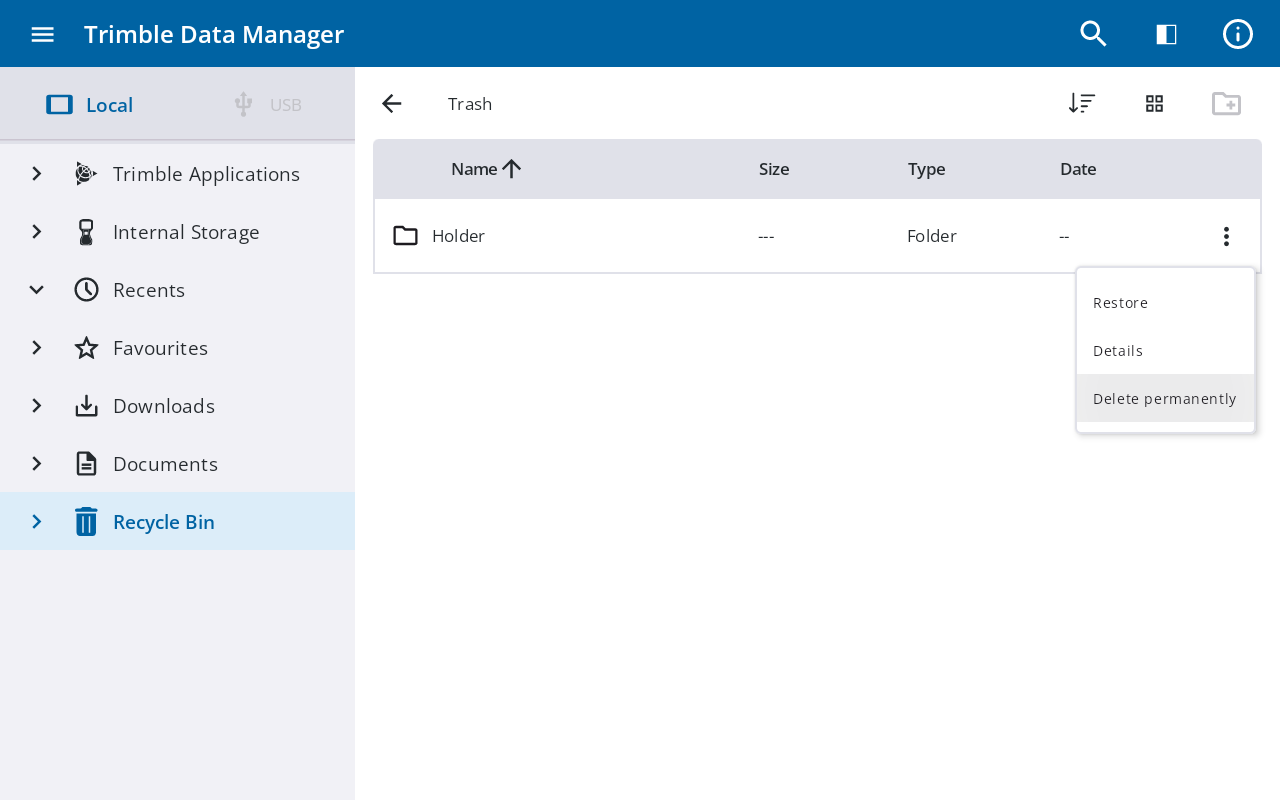
Using the Recycle Bin
The Recycle Bin section in the Sidebar stores files and folders you have deleted. Files remain in the Recycle Bin for 30 days before being permanently deleted.
Send files to the Recycle Bin
-
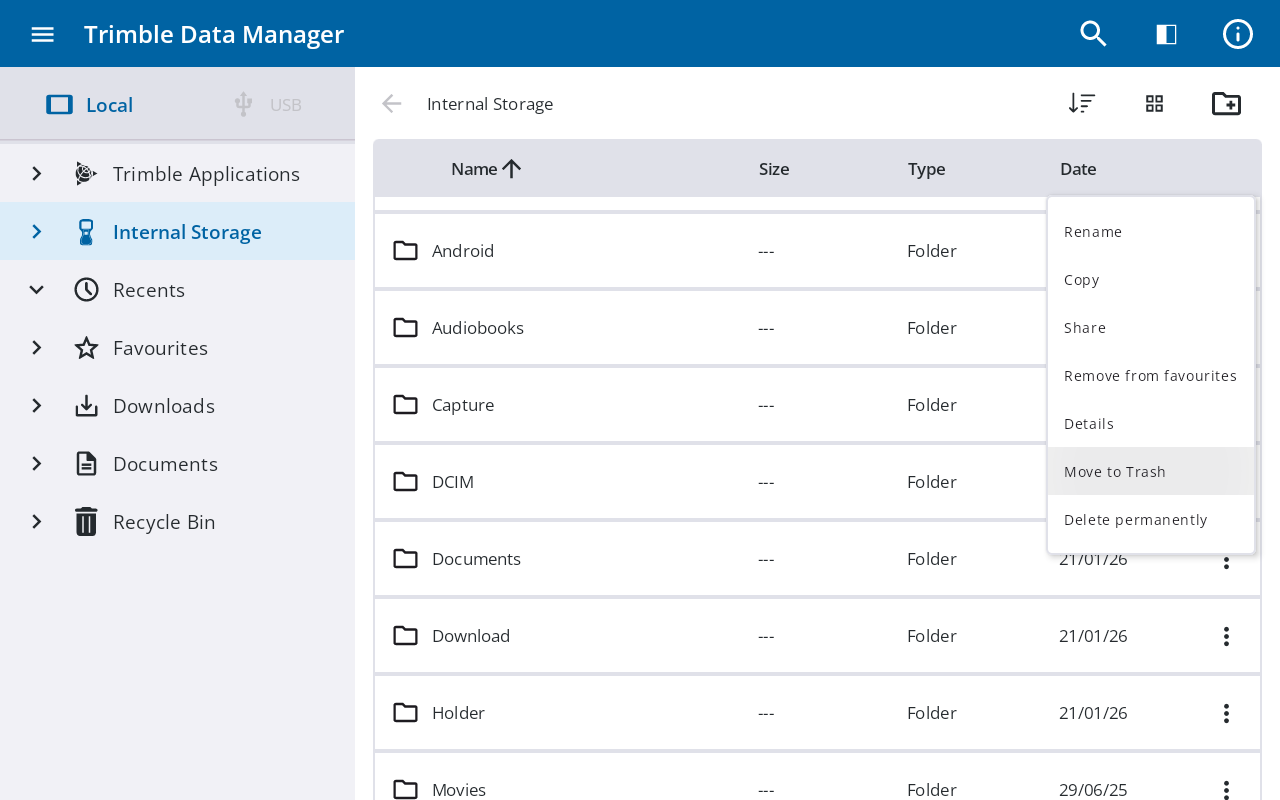
Navigate to the file or folder you want to delete, then tap
 to its right.
 -
From the context menu, tap Move to Trash.
-
In the confirmation prompt, tap Yes to move the file to the Recycle Bin, or tap No to keep the file in its current location.
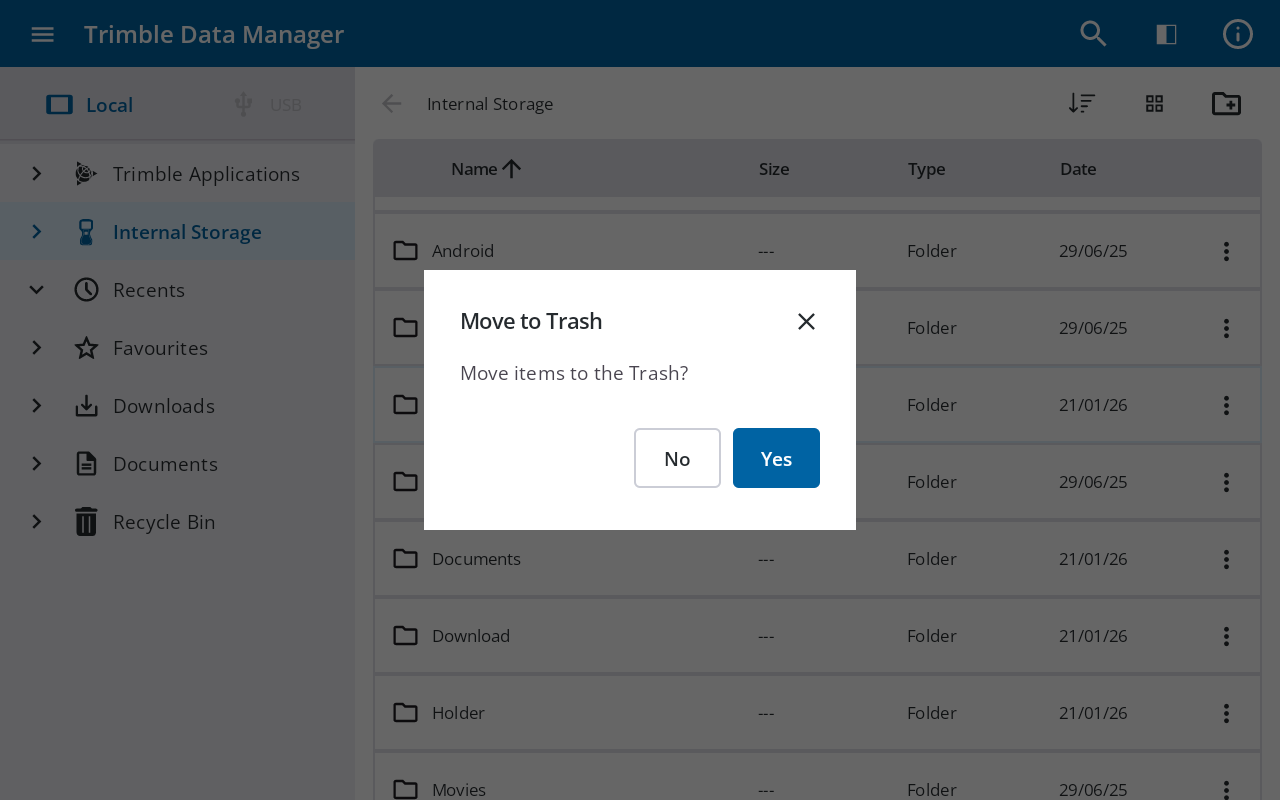
NOTE – Files in the Recycle Bin are permanently deleted after 30 days.
Restore a file
-
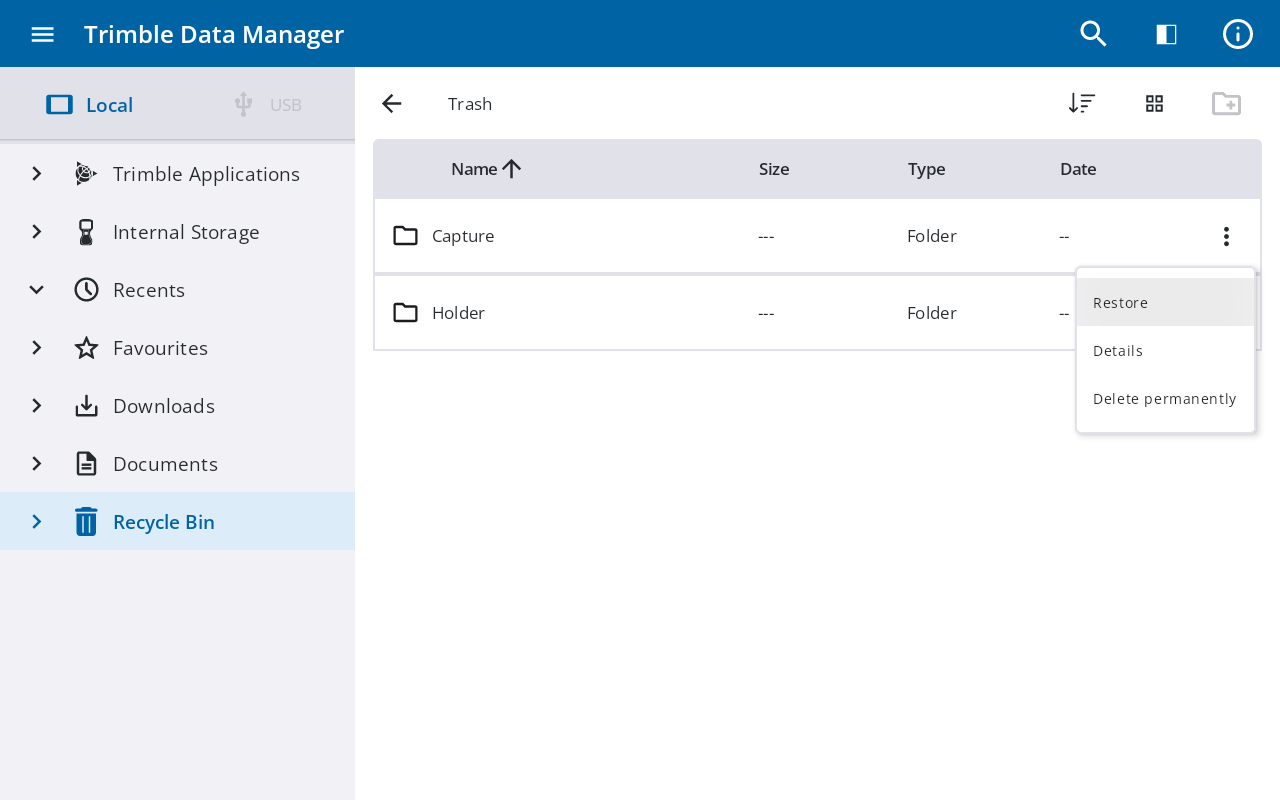
In the Sidebar, tap Recycle Bin.
-
Locate the file you want to restore, then tap
to its right. -
From the context menu, tap Restore. The file is returned to its original location.
Delete permanently
You can permanently delete a file from the Recycle Bin or from its original location.
-
Tap
to the right of the file. -
From the context menu, tap Delete Permanently.