Installing a screen protector
The TSC5 controller / Ranger 5 data collector is fitted with a mechanically strengthened glass touchscreen which is highly resistant to abrasion and impact damage. However to ensure maximum protection, it is recommended that you use a
To install a screen protector:
-
Place the device on a clean, flat surface. Make sure your hands are clean.
-
Clean the touchscreen with the supplied alcohol wipe.
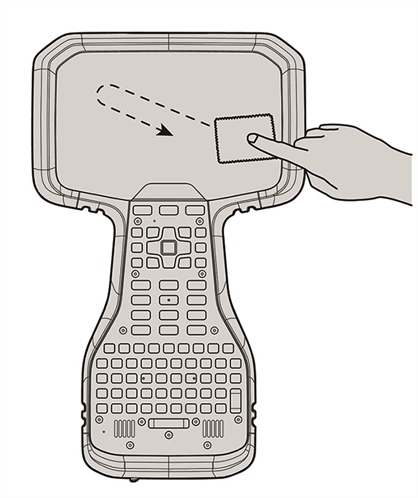
-
Polish and dry the screen with the lint-free cleaning cloth supplied.
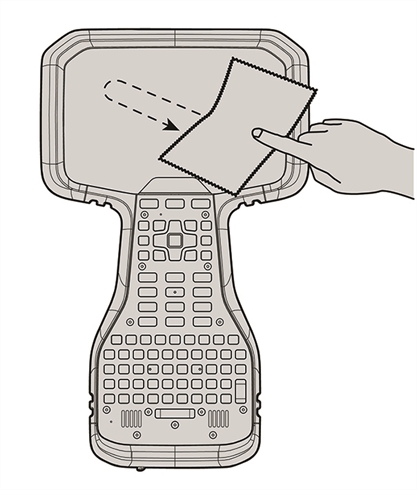
-
Remove any dust specs with the supplied dust sticker.
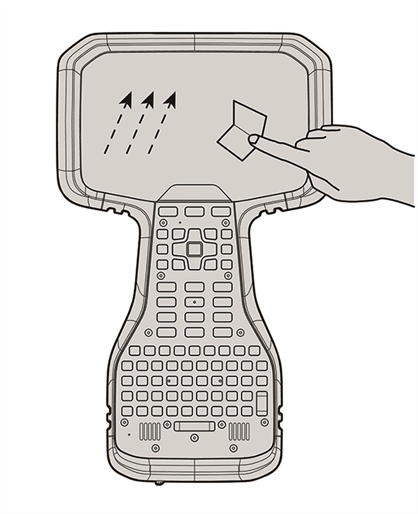
-
Remove the protective film from the screen protector.
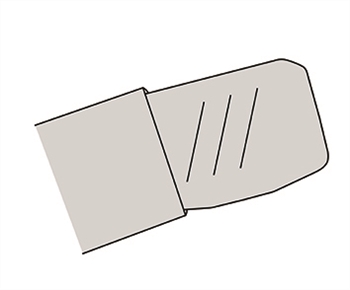
-
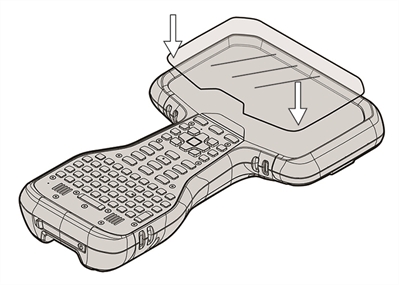
Align the screen protector with the bottom of the glass display. Use the TSC5 controller / Ranger 5 data collector badge at the top of the keyboard as a guide, leaving a small, evenly spaced gap around all edges. The screen protector should line up evenly with the TSC5 controller / Ranger 5 data collector label and the edges of the device.
-
Carefully lay the screen protector down on the screen. If you make a mistake and the glass looks off-center, you can gently lift the screen protector up and realign it. Then, once the protector is on the screen, give it a soft press in the center and allow the adhesive surface to grip to the screen naturally.
-
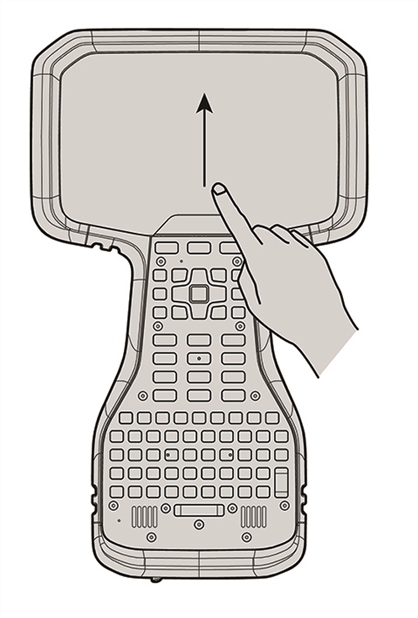
If there are any bubbles remaining, use the cloth provided to gently smooth them toward the edges of the screen protector.
For more information on where to purchase the correct screen protector for your device, contact your local
