Checking the battery charge levels and LED status
The TSC710 controller is powered by internal battery which are not removable, and an optional, removable accessory battery pack which enables you to double the battery run-time.
If you are using the optional removable accessory battery pack, you can charge it while installed in the device, or externally using its USB-C port from a computer or from a USB charger.
When charging, the internal battery is charged first; the removable battery will start to charge once the internal battery is fully charged.
LED charging status
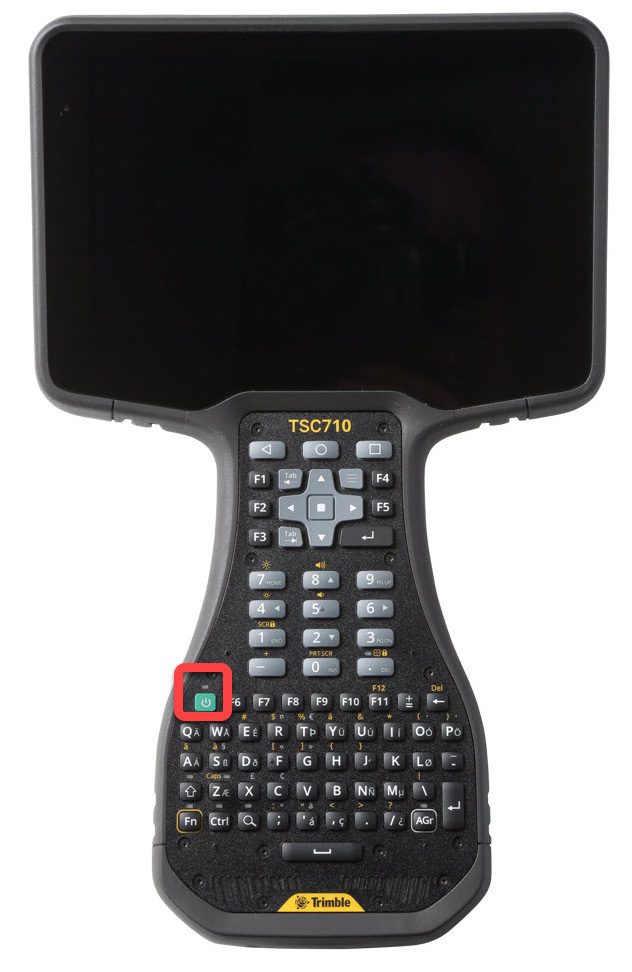 An LED on the keyboard (above the Power key) shows the charging status. The charging LED applies to the internal non-removable battery and the optional removable battery pack.
-
☀ Green: fully charged.
-
☀ Amber: charging normally.
-
☀ Red: battery charging error. It can take the device approximately 30 seconds to recognize a bad battery and indicate a charging error.
The device is configured to use the removable battery first then switch to the internal battery once the removable battery charge level drops to about 3%.
When the internal battery charge drops close to 0, the device will shut down.
