Charging the internal battery and the optional removable battery pack
The internal battery is charged using the USB-C port directly on the bottom of the device. If you have the accessory removable battery pack installed, it is also charged through the USB‑C port.
-
Connect the appropriate international plug adapter for your region to the AC adapter.
-
Connect one end of the USB-C to USB-C cable to the USB-C port located on the AC adaptor.
-
Connect the other end of the USB-C cable to the USB-C port on the TSC710 controller .
-
Plug the power supply into an electrical outlet.
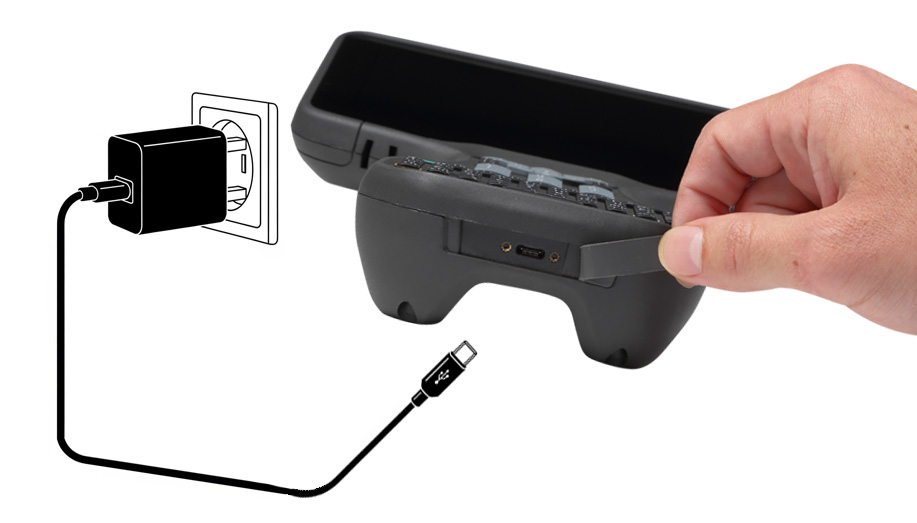
The internal battery will charge first. When the internal battery is fully charged, the optional removable accessory battery pack, if installed, will charge.
It may take longer to charge the batteries if you are using your device for power-intensive activities, for example using GNSS or processing a lot of data while you are charging it.
You can also charge the removable battery when it is not in the device, using the USB-C cable, the appropriate international plug adapter for your region connected to the AC adapter, and plugged into an electrical outlet.
