Inserting a SIM card (optional)
Your TSC710 controller is equipped with a 5G modem. You will need a data plan and Nano SIM card from your local cellular service provider to use cellular data. If you are unsure, check with your mobile operator. See Working with mobile broadband for more information.
The TSC710 controller does not support eSIM technology.
CAUTION – Do not replace the SIM card while outdoors. Water, dust, dirt or debris may collect inside the SIM card bay causing performance issues.
CAUTION – The device has an IP rating of IP68, predicated on the battery door being properly installed. If the battery door is removed, then the IP rating drops to IP54. Please be aware of the lowered rating. As such, care should be taken when opening the battery door to keep water and debris out of the enclosure.
CAUTION – The SIM card door can be damaged if handled carelessly or if sharp tools are used to open the door. Take care not to twist or warp the door when opening or closing it.
-
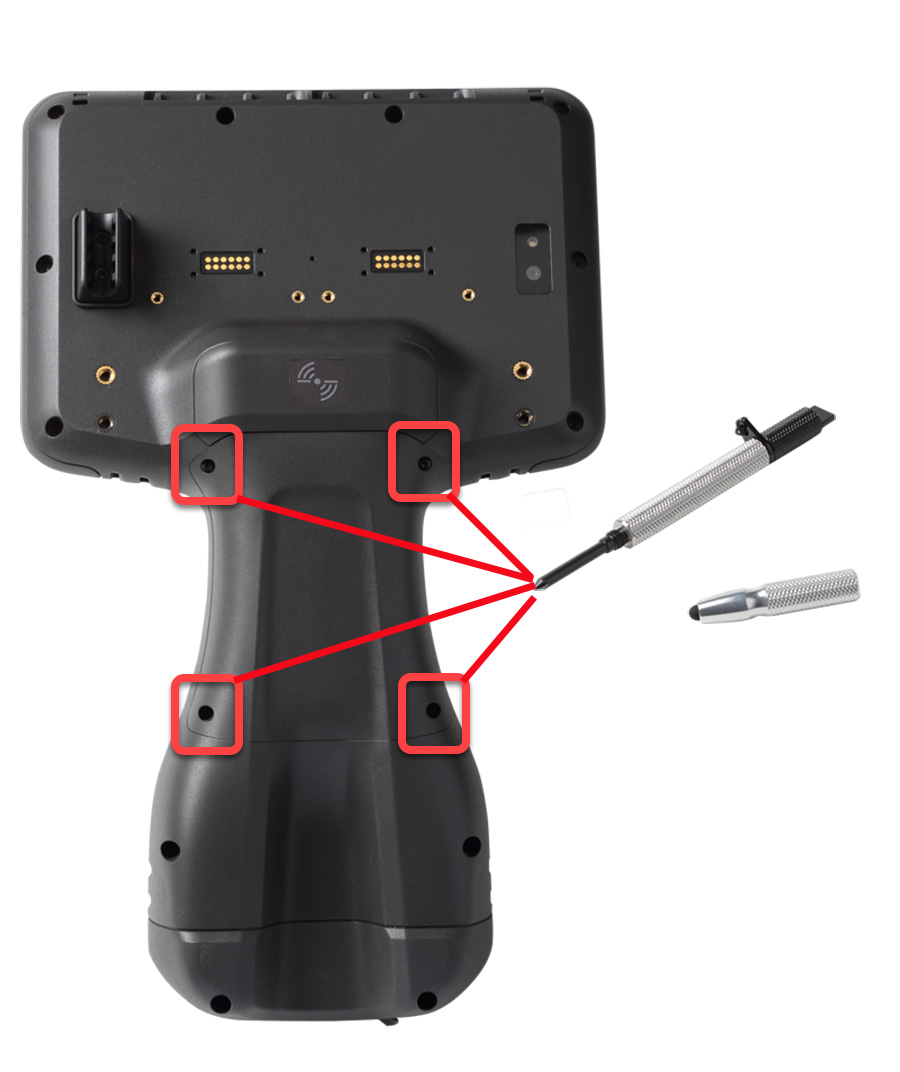 If the device is on, turn it off; press-hold the Power key, then tap Power Off.
 -
Using a cross-tip screwdriver or the one integrated in the stylus, loosen the 4 screws to remove the cover from the back of the device.
If the accessory battery is installed, remove it to access the SIM card door.
-
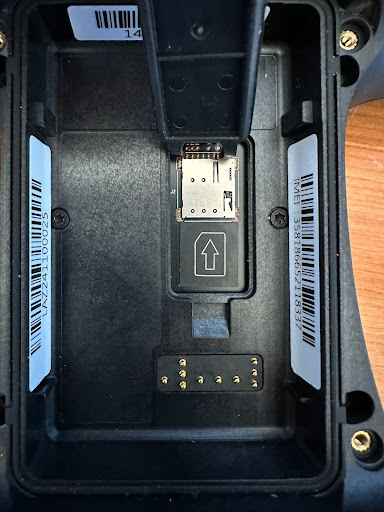
Pry open the SIM card door using a coin or the tool located on the stylus tether; do not remove the door completely.
The door hinges allow for sliding the door out slightly, but the door is not intended to be completely removed.
-
Slide the SIM card into the slot in the orientation shown in the SIM enclosure.
-
Close the SIM door, making sure it clicks shut.
-
See the next section to Install the optional accessory battery.
-
Replace the cover and tighten the 4 screws using the cross-tip screwdriver.
