Tethering the stylus
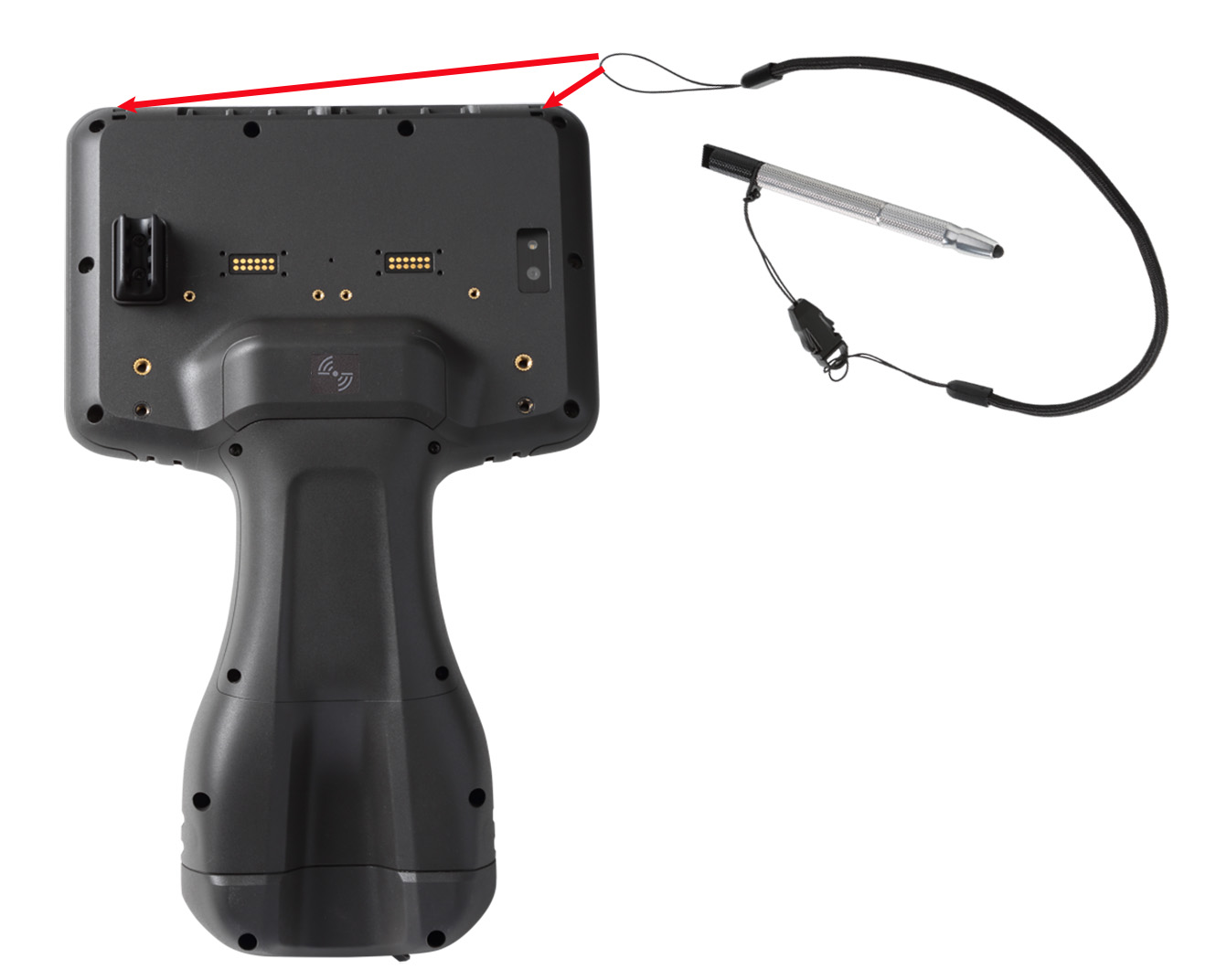
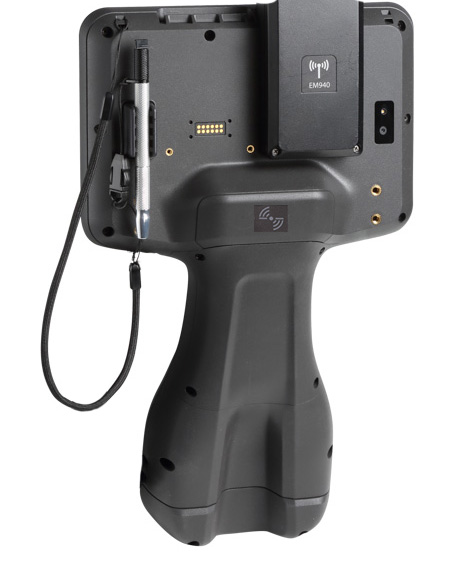
Attach the stylus to the device to prevent accidentally dropping the stylus. The stylus is supplied with one end of the tether cord pre-looped to the stylus. You can attach the stylus to the left or the right side of the device.
To tether the stylus to the device:
-
Take the loose end of the tether cord and push it through the left or right stylus tether point.
-
Feed the stylus through the loop and pull tight.
-
Place the stylus in the stylus dock to store it when not in use.