Manage Projects
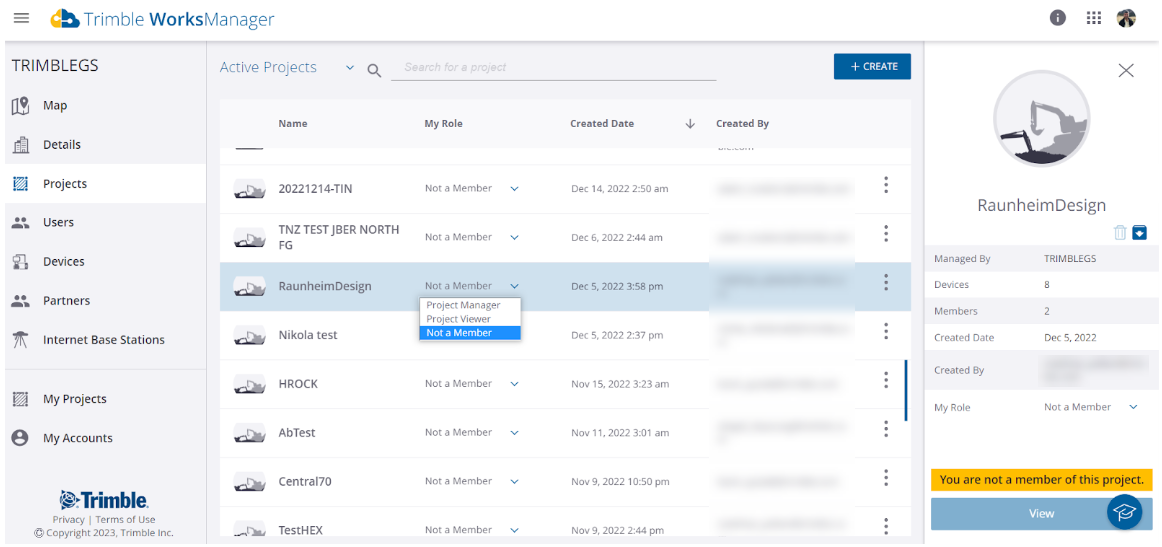
Invite yourself to a project
As an account Administrator, you can change your role for a project into Viewer or Manager.
-
Click Projects in the Main menu (left pane).
-
Select a project for which you are Not a Member in the Active Projects list.
-
In the My Role column, click the drop-down arrow and select either Project Manager or Project Viewer.
Delete or archive a project
-
Click Projects in the Main menu (left pane).
-
Select a project in the Active Projects list.
-
In the info pane on the right, click either the
 Delete or
  Archive icon.
Change a project's designs
-
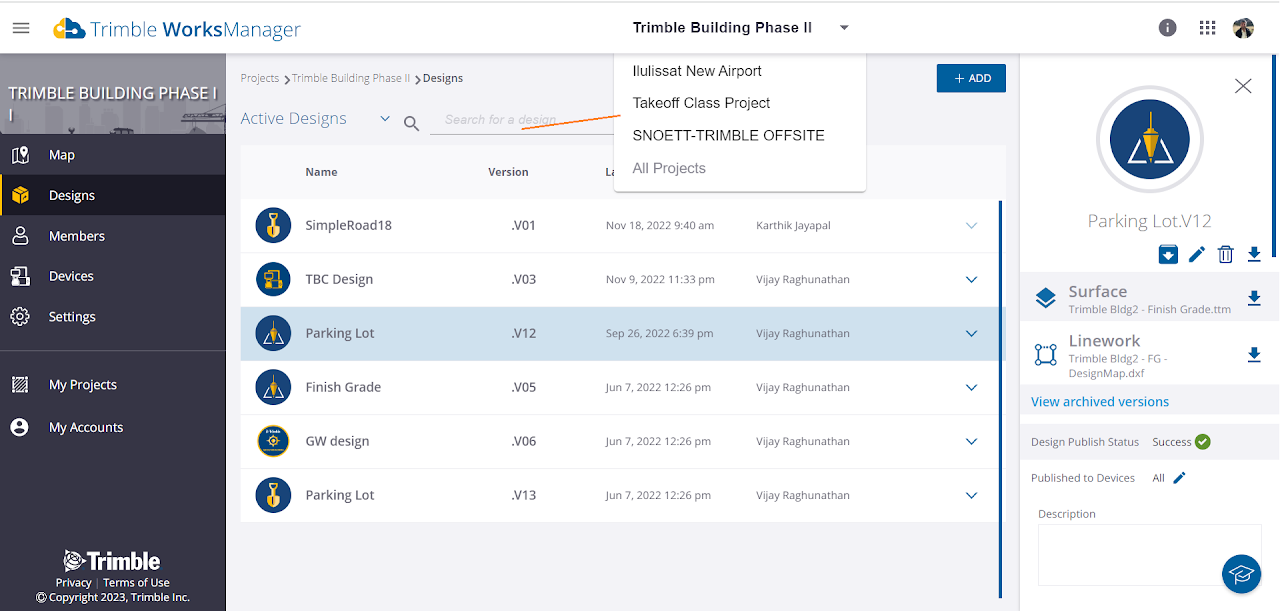
Click Designs in the Main menu (left pane).
-
Select, edit/update, and replace designs as needed.
Edit a project from Settings
Whether settings are editable or read-only is based on whether you are a Project Viewer or a Project Manager.
-
Click My Projects in the Main menu (left pane).
-
Select a project or click a project tile.
-
Click Settings > Project Details in the Main menu.
-
Edit any of these:
-
Project title
-
Project short name
-
Project boundary
-
Configuration files
-
View projects in a list, grid, or on in the Map view
-
Click My Projects in the Main menu (left pane).
-
Click the
 Map view,
  List view, or
  Grid view icon on the right above the projects.
