Project Setup > Calibration and Other Configurations
-
Do you recommend using the .dc file over the .cal file?
The .dc and .cal files are only used to send to devices from WorksManager, being converted to the correct format for the device(s) as necessary during the process. WorksManager itself does not use the .dc or .cal files for any other purpose. -
If a .dc file is uploaded to WorksManager for the site calibration, will it also be usable by GCS and Earthworks devices?
Users can add either a .dc or a .cal file to the project. .dc works for data collectors, and .cal works for machine control devices. WorksManager converts .dc to .cal (or vice versa) internally and ships it appropriately to devices. -
What should the workflow be if I'm sending information to a data collector to calibrate a site and return the calibration information to WorksManager for sharing with my other devices?
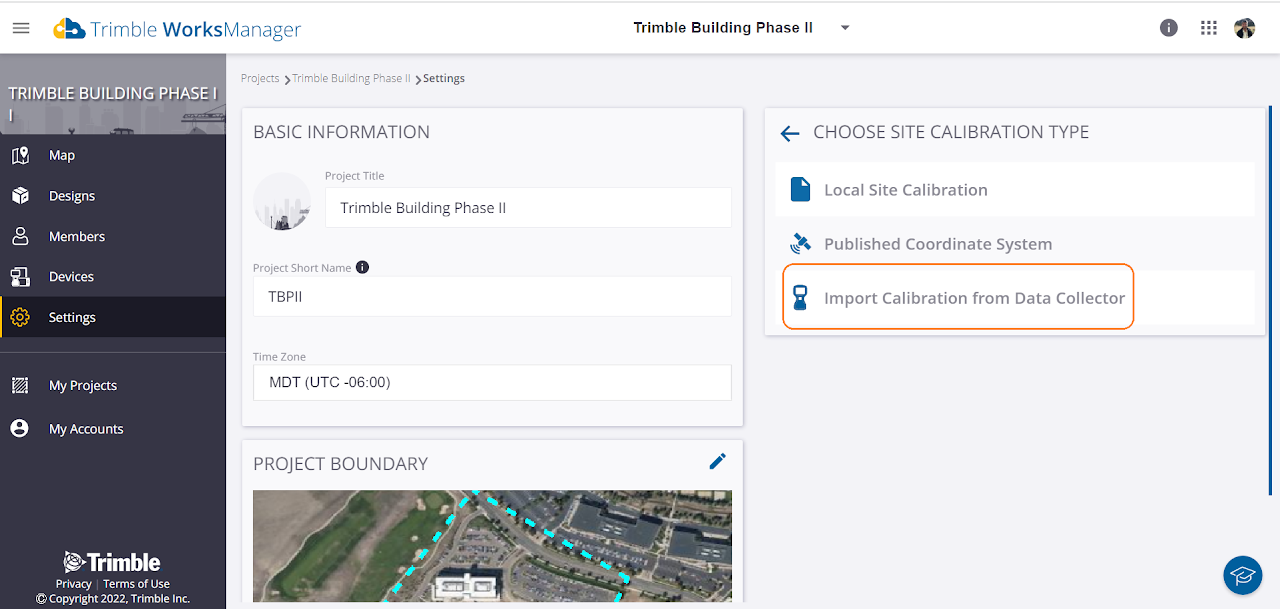
Once the site is calibrated with Siteworks, you can use the 'import from data collector' in WorksManager > Settings to directly import it from the field - this then becomes the calibration for the entire site.
Geoid support
-
What grid formats does WorksManager support?
WorksManager supports geoid grids (.ggf file format), datum grids (.dgf), shift grids (.sgf), and snake grids (.dat). -
Can I add multiple grid files?
Yes, you can add any combination of these grid files. You can add upto a max. of 3 files. Few examples below:-
.ggf + .dat
-
.ggf + .dgf 1 + .dgf 2
-
.ggf + .sgf etc.
-
-
Does WorksManager extract the grid information from the calibration file and add it automatically?
No! WorksManager does not extract the grid information automatically. The user has to add the grid files separately from the product in addition to the calibration file. -
Is it possible to generate a site/background map to display in WM?
No, this is not currently supported.
