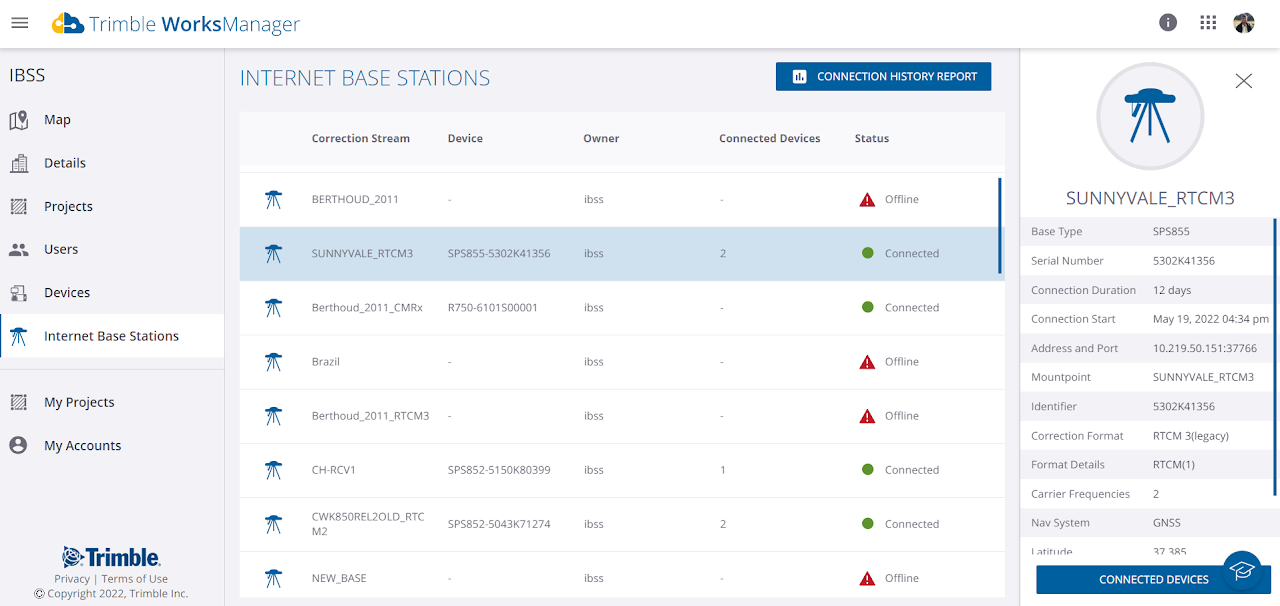
View Base Stations
This display shows all active base stations in the selected account and any that have been
connected in the last 30 days. Bases that are shared into the account are not included in the WorksManager UI, they are only displayed in the owner account.
-
Login to WorksManager with your Trimble Identity (TID) credentials.
-
In the left pane, click My Accounts and select an account.
-
In the left pane, click Internet Base Stations.
-
Review your existing internet base stations, whether offline or online.
-
Click a specific base station to view the details about it.