Setting up the scanner
To set up the scanner:
-
Place the tribrach on the tripod and secure it with the central fixing screw.
-
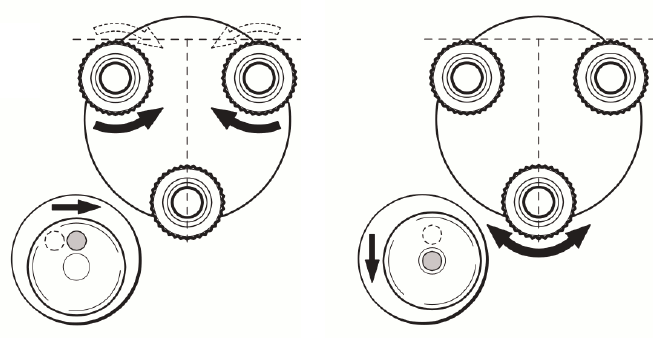
Level the tribrach using the circular level. Turn two of the leveling screws simultaneously in opposite directions. The index finger of your right hand indicates the direction in which the bubble should move. Now use the third leveling screw to center the bubble.
-
Place the scanner on the tribrach and secure it with the tribrach’s locking lever.
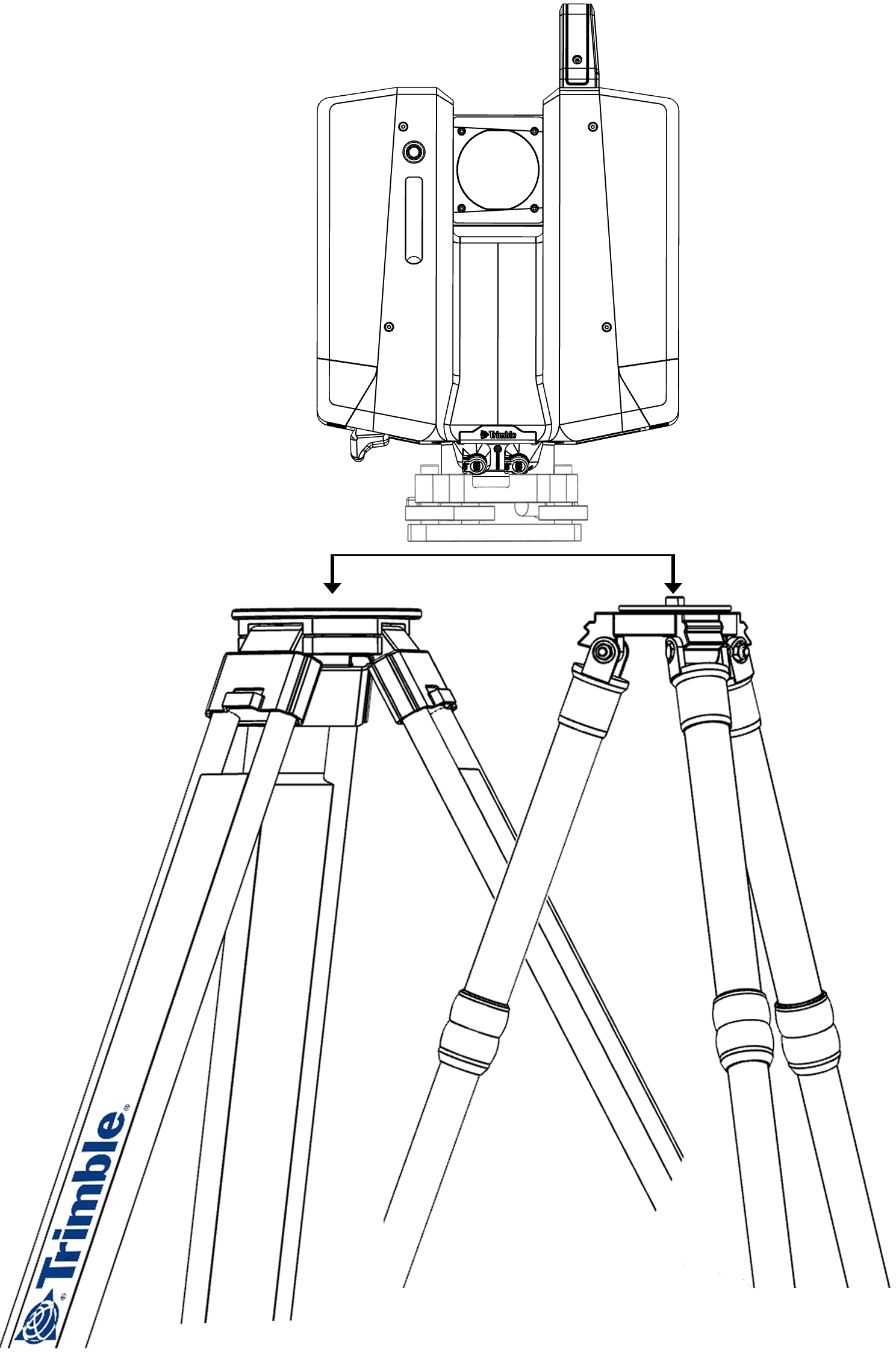
The scanner can be leveled using the tribrach thumb screws and the integrated electronic level in the onboard UI.
