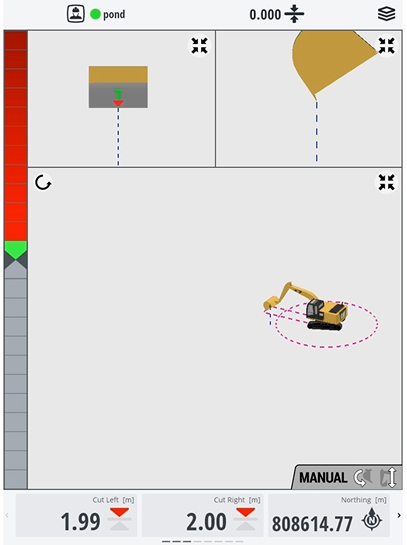
Dig a pond
One of the first jobs you might need to do on a new site is dig a pond to control water or sediment.
Watch the video
Watch an expert operator use Trimble Earthworks to dig a pond.
Step by step
-
Tap Job Setup on the Dashboard.
-
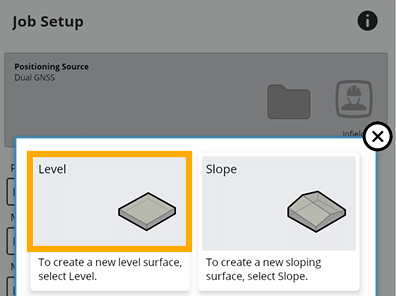
Create a new level:
-
Tap the add
 icon beside the Guidance Surface field.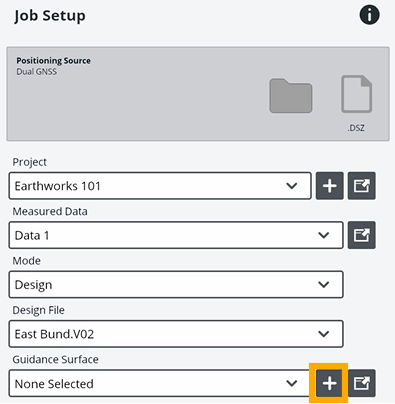
-
Tap the Level tile.
-
To specify how deep you want your pond to be, tap Here or enter the level in the Elevation field.
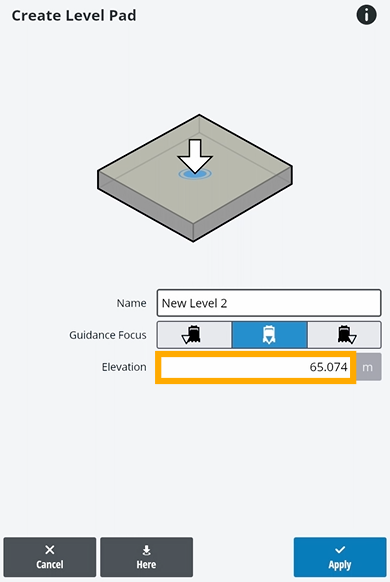
EXAMPLE – If Trimble Earthworks shows you're 65 meters above sea level and you want your pond to be 2 meters deep, adjust the level to 63 meters.
-
Enter a name for your pond design and tap Apply.
TIP – If you know you're going to be digging more than one pond, you can save and reuse this design.
-
-
Tap Start to see your design and start digging your pond.