Key parts of the interface
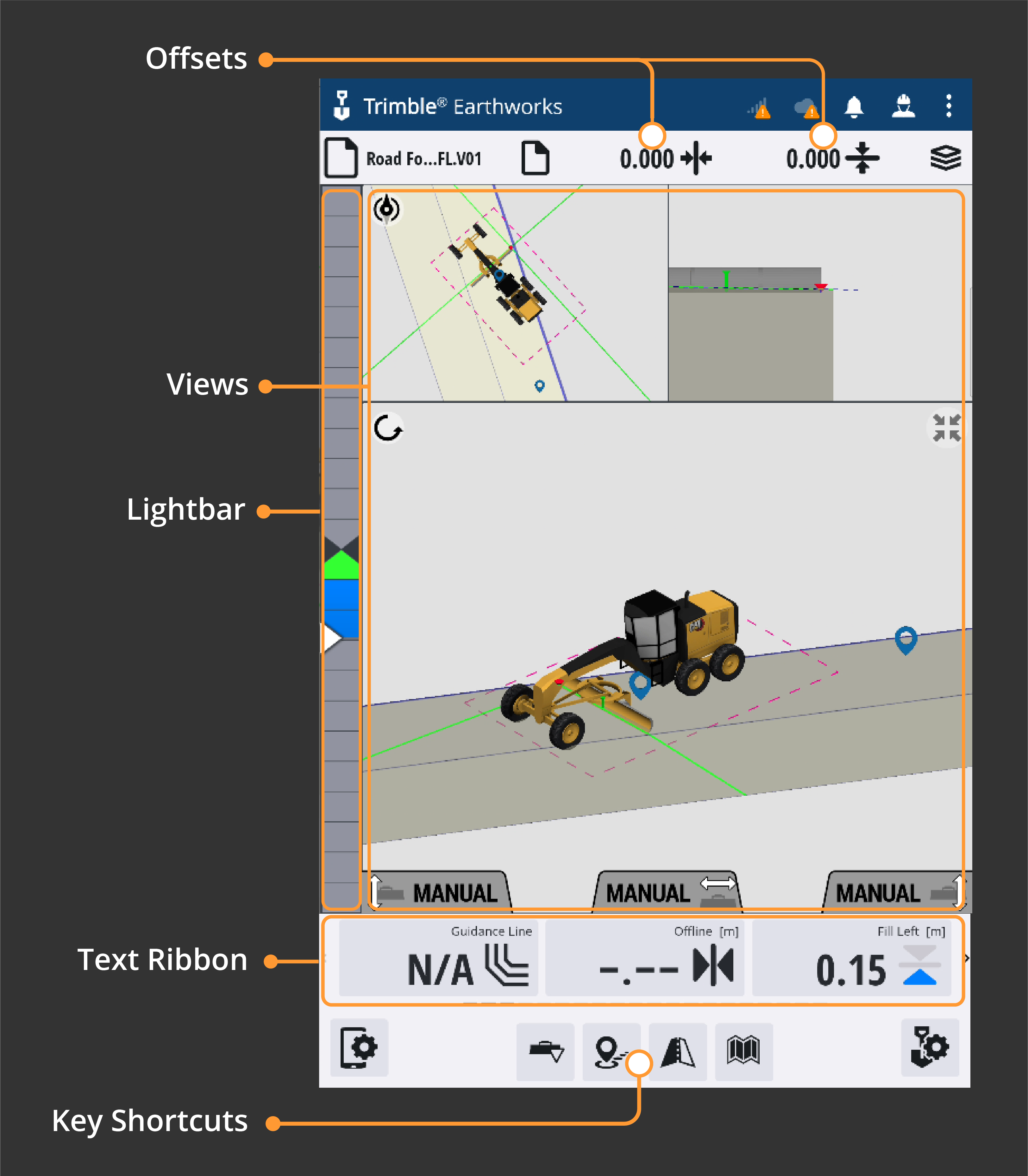
When you first start using Trimble Earthworks these are the key parts of the interface you'll be using:
-
Views
-
Lightbars
-
The Text Ribbon
-
Offsets
-
Some other key icons
Watch the video
Tour the key parts of the interface with an expert operator.
Step by step
-
Open Trimble Earthworks.
-
Swipe the Text Ribbon left to access more options.

-
Use two fingers to swipe across three sets of views.
-
To change a view:
-
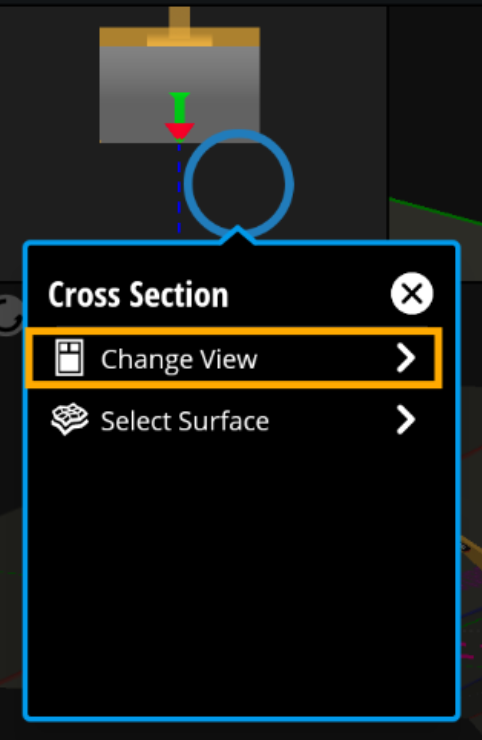
Tap and hold anywhere in a View pane.
-
Tap Change View.
-
-
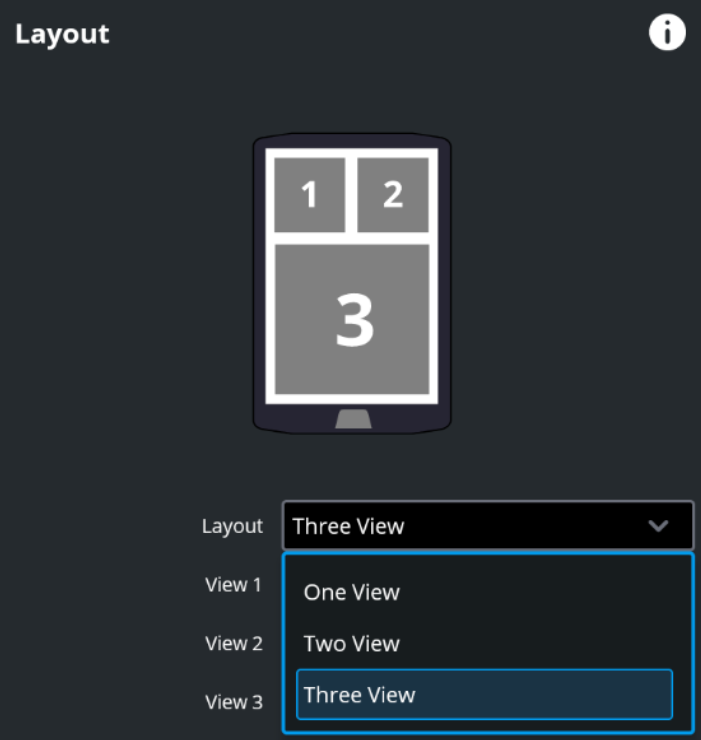
To choose how many views you want to see, expand the Layout drop-down.