Make a flat pad
One of the first things you need to do when you start working on a site is make a flat pad. This could be for a crane, a site office, or a stock pile to organize building material.
Watch the video
Watch an expert operator use Trimble Earthworks to make a flat pad.
Step by step
-
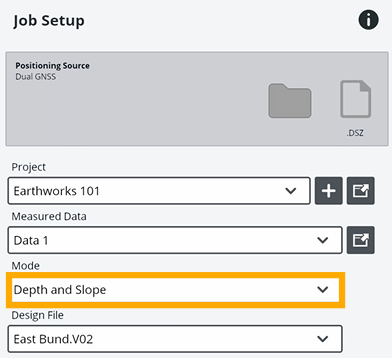
Tap Job Setup on the Dashboard.
-
For Mode, select Depth and Slope.
-
Tap Apply.
-
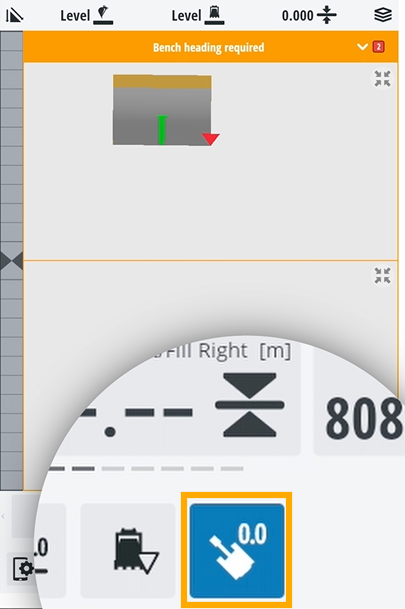
To specify which way you’re facing, tap the bench heading
 icon .
-
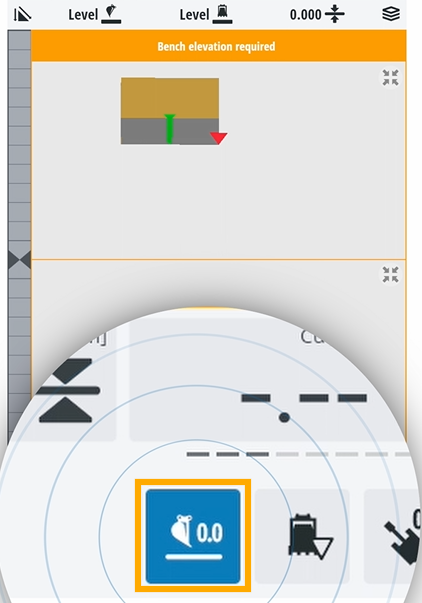
Position your bucket where you want the flat pad to be.
-
Bench the elevation.
-
If you want to adjust the height of the pad, tap the elevation offset
 icon.
icon.TIP – You can also change the height of the pad by rebenching the elevation and the heading.
