Import and Process Monitoring Points Epochs from Trimble Access
You can import JSON (.json) files containing point positions for multiple epochs measured in the field using the Trimble Access Monitoring application. You can then assign the data to a monitoring cloud project using your  Trimble Identity account, process the data, and view point displacement from epoch to epoch in graphic views and reports. (For more information on point monitoring, see Monitor Point Movement.)

Prerequisites:
Licensed module. See the Subscription Plans page. For a license matrix by command, see the License page in the TBC Community. Also see View and manage licensed features.
To import monitoring points epochs from Trimble Acccess:
These instructions provide an overview of importing and processing monitoring points epochs contained in JSON files exported from the Trimble Access Monitoring application. See Monitor Point Movement for more detailed step-by-step instructions.
- Create a new TBC project.
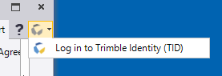
- If you have not already done so, log in to your Trimble Identity account so that TBC has access to the cloud where monitor point data will be stored and synchronized.
- Use the Import command or drag-and-drop to import the JSON file containing epoch data into TBC.
Note: The JSON file must contain a reference epoch and one or more subsequent epochs in order to show point displacement in TBC.
- In the Assign Monitoring Project dialog, create a new monitoring cloud project and click OK.
When importing and processing is complete, a new Monitoring Project node displays in the Project Explorer. You can now view point displacement from epoch to epoch in the graphic views, the Monitoring Chart, and the Monitoring Points Report. See Monitor Point Movement for more information.
- If necessary, repeat this procedure to import additional JSON files containing subsequent epochs into the same monitoring cloud project.
A subsequent JSON file cannot contain an epoch identified as a "reference epoch" since it was imported with the first JSON file.
Subsequent epochs can include points not included in the reference epoch or any prior epochs. As long as the points are included in two or more epochs, point displacement will be displayed between those epochs.
Subsequent epochs may also exclude monitoring points included in earlier epochs, in which case no movement will be shown for those point in those subsequent epochs.
