Move Line
 TheMove Line command enables you to select a line or multiple lines and move them without needing to copy and offset.
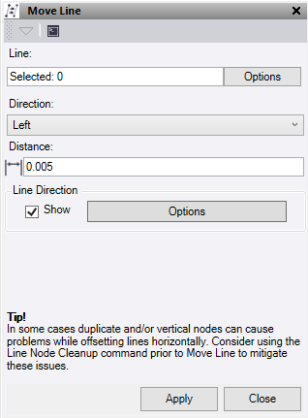
- Click in the Line field, then in a graphic view select the line or lines to move. Click Options for additional selection options.
- Pick the Direction to move the line.
- Enter the Distance to move the line by.
- Click Line Direction - Show to turn on the direction arrows
- Click Options to open a short cut to the line direction options. See Show Line Direction Options for more details.
- Click Apply to apply the changes or Close to close thecommand pane.
Note: If the line being moved contains vertical segments which are 5mm or less in horizontal length then the segment will be pushed to make it 5mm horizontally in the direction of the previous line segment.
