Set Line Direction
 The Set Line Direction command enables you to pick a reference line/alignment, then select linestrings that it will switch to run the same direction as the reference.
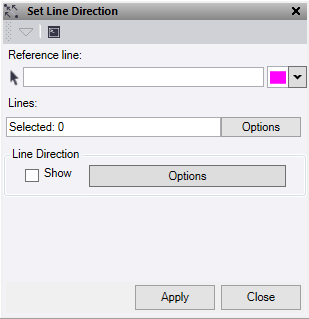
- Click in the Reference Line field, then in a graphic view select the linestring or alignment to use as the reference for direction. Click Option to change the highlight color.
- Select the lines to set the direction on.
- Check Line Direction - Show to turn on the direction arrows. Click Options to open a short cut to the line direction options. See Show Line Direction Options for more details.
- Click Apply to apply the changes.
