Extract Breaklines from Open-Pit Mines
The Extract Mining Breaklines command enables you to automatically create breaklines from open-pit mine slopes captured in a point cloud, including toes and crests for benches (haul roads) and berms, the bottom of the pit (toe), and the top of the pit (crest). Optionally, you can review and edit the resulting linework, and you can use the Create Surface command to create a surface model from the extracted breaklines that can be used to create a Mining Slope Conformance report.
This information is critical in ensuring the current as-built mine surface is in conformance with the design and applicable safety standards.
Prerequisites:
- Your project must include the open-pit mine point cloud from which you want to extract breaklines.
- See the Subscription Plans page. For a license matrix by command, see the License page in the TBC Community. Also see View and manage licensed features.
To extract mining breaklines:
- Select Extract Mining Breaklines in Mines > Above Ground to display the Extract Mining Breaklines command pane.
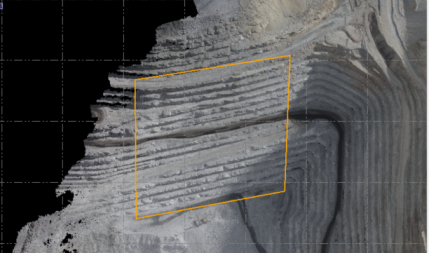
- Click in the Point cloud field, and then use a graphic view or the Project Explorer to select the point cloud region(s) from which you want to extract breaklines.
- Select an existing closed polyline in the Plan View, or create a new one, that acts as a boundary to encompass a single slope region from which you want to extract breaklines.
- In the Layer drop-down list, select a layer on which to display the extracted linework. Or, create a new layer.
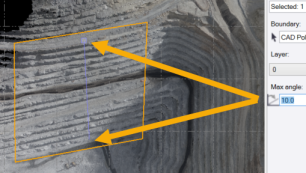
- Optionally, click in the Max angle field and change the default maximum angle setting to any value from 0 to 90 degrees.
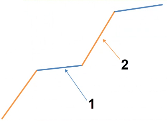
The maximum angle specified is used to determine the break between a catch bench (berm) and a bench face. If the angle is equal to or smaller than the specified maximum angle, the surface is classified as a catch bench.
In the following example, the catch bench angle (1) is less than 20 degrees while the bench face angle (2) is greater than 30 degrees. In this case, an appropriate maximum angle would be 25 degrees.
Note: To automatically calculate the average inter-ramp angle to use for the maximum angle, click a point on the lowest elevation of the point cloud and then click a point on the highest elevation. The resulting angle will display in the Max angle field.
- Click the Apply button to start the extraction process.
The status of the process is displayed in a separate window.
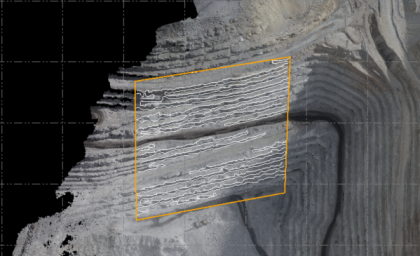
After closing the Extract Mining Breaklines command, you can edit any of the displayed linestrings as necessary by clicking on it.
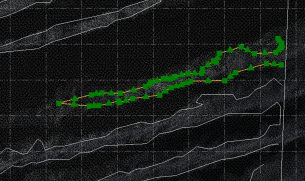
Optionally, use the Create Surface command to create a surface model from the extracted breaklines that can be used to create a Mining Slope Conformance report.
