Release Notes - March 2026
New & Improved
WorksManager Pro includes these new features and enhancements:
Unit Specification
-
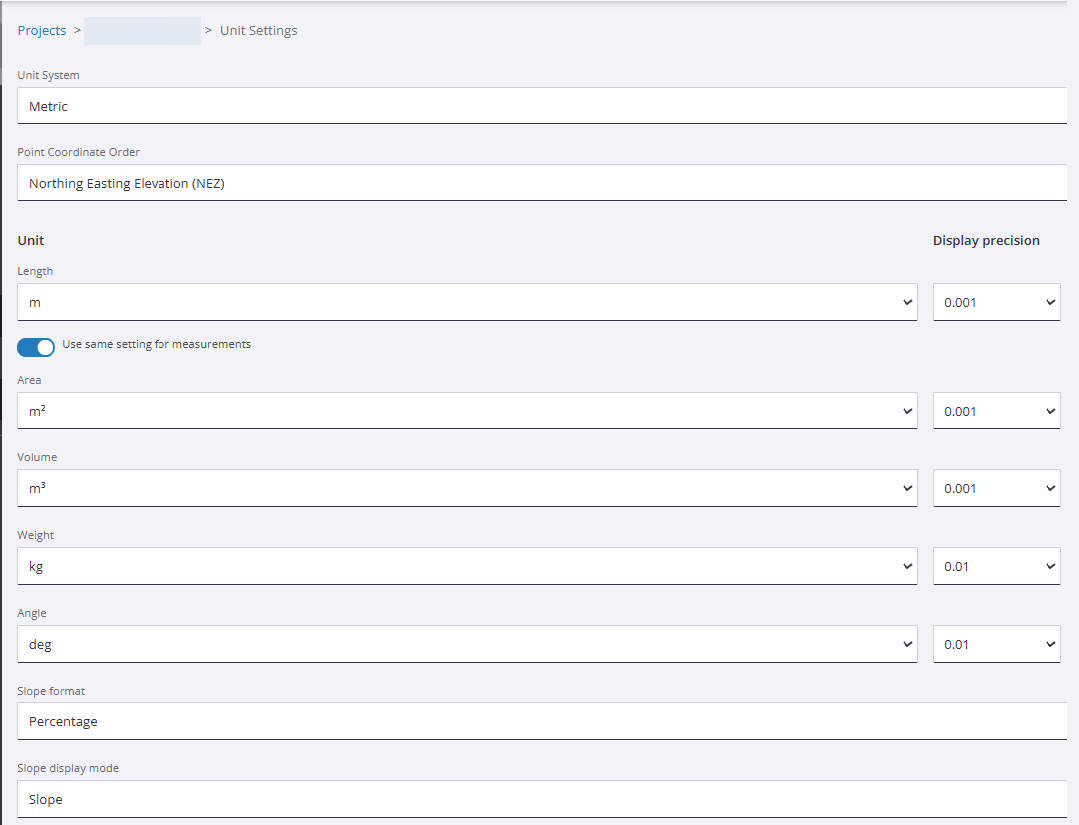
Set Project Units, Coordinate Order, Formats, and Display Precision - Project Managers can now specify length, area, volume, weight, and angle units at the project level. You can also set the display precision for each. For slopes, you can choose the format and display mode.
Drafting Object Editing
-
Modify Linear Objects - You can now correct or update your design data by editing lines in new ways:
-
Join lines - Using the Line Snap mode, pick the end or mid point of one line and then another line's end or mid point. A segment is created between the points you pick.
-
Split a line - Pick anywhere along a line/segment to add a vertex, thereby splitting the line/segment at that location.
For details, see Create and Edit Drafting Data
-
Area and Volume Calculations
Trimble® WorksManager Pro software now includes powerful new functionality for volumetric measurements: surface to surface volume calculations and area calculations. These capabilities significantly enhance your ability to perform accurate volume calculations and progress tracking on your projects.
Key features and capabilities
-
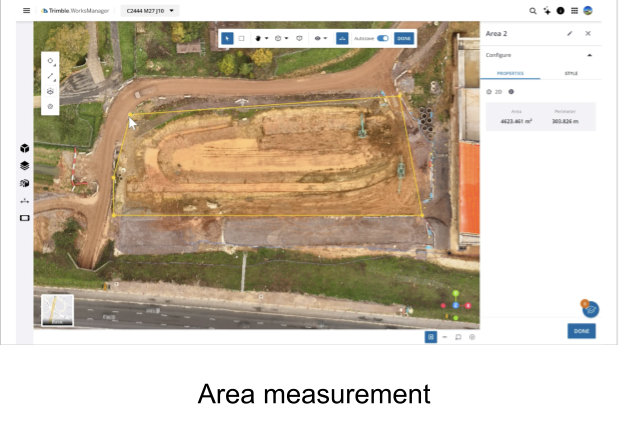
Area calculation - Now you can create a polygon to obtain area and perimeter calculations.
-
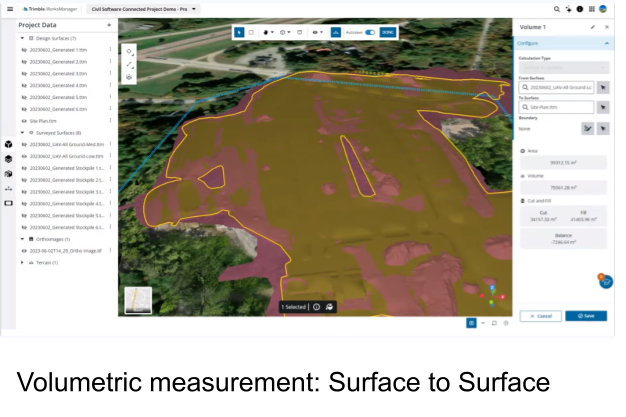
Surface comparison - The tool compares two surfaces: a survey surface (as the reference) and a design surface (as the target)—to perform a detailed volumetric analysis. Calculations include:
-
The area overlapping between the two surfaces.
-
The total volume as the sum of the absolute cut and fill.
-
Separate cut and fill volumes.
-
The overall balance value between the cut and fill of the site.
-
-
Custom boundary definition- You can now define a specific area by drawing a custom boundary (polygon) for targeted calculations.
Use cases and customer benefits
-
Area calculation:
-
Trace the exact boundaries of a newly placed lift or paving run to calculate square footage, allowing for the precise scheduling of roller hours, and paving crews based on real-time site geometry.
-
Estimator or Foreman can trace the perimeter of a parking lot or road segment to calculate the exact area of asphalt required to layout and compact.
-
Understand storage capacity on site.
-
Quicker and more effective planning of waste areas.
-
-
Volume estimation from surface to surface calculation:
-
Generate quick, reliable volume, cut/fill and balance estimations at project kickoff to ensure bid accuracy and set realistic earthmoving targets from day one.
-
Monitor site movement by comparing survey data against the design model, allowing for instant adjustments to hauling schedules and subcontractor verification.
-
Quickly visualize trucking needs based on volume metric measurements.
-
Known issues and limitations
-
In some cases, line thickness in the 3D Viewer may appear disproportionately wider than in the source application (e.g., in Trimble Business Center). If you previously edited imported design data in the 3D Viewer and now find issues with line thickness, you will need to select Delete all Changes on the toolbar at the top of the Design Packages pane and redo your edits.
-
The project must be a new Connected Project in WorksManager Pro.
-
Calculations can be completed on imported TTM surfaces and surveyed surfaces in the project. Measurements on data from machine as-builts are on the roadmap. For details, see Make and Save Measurements.
