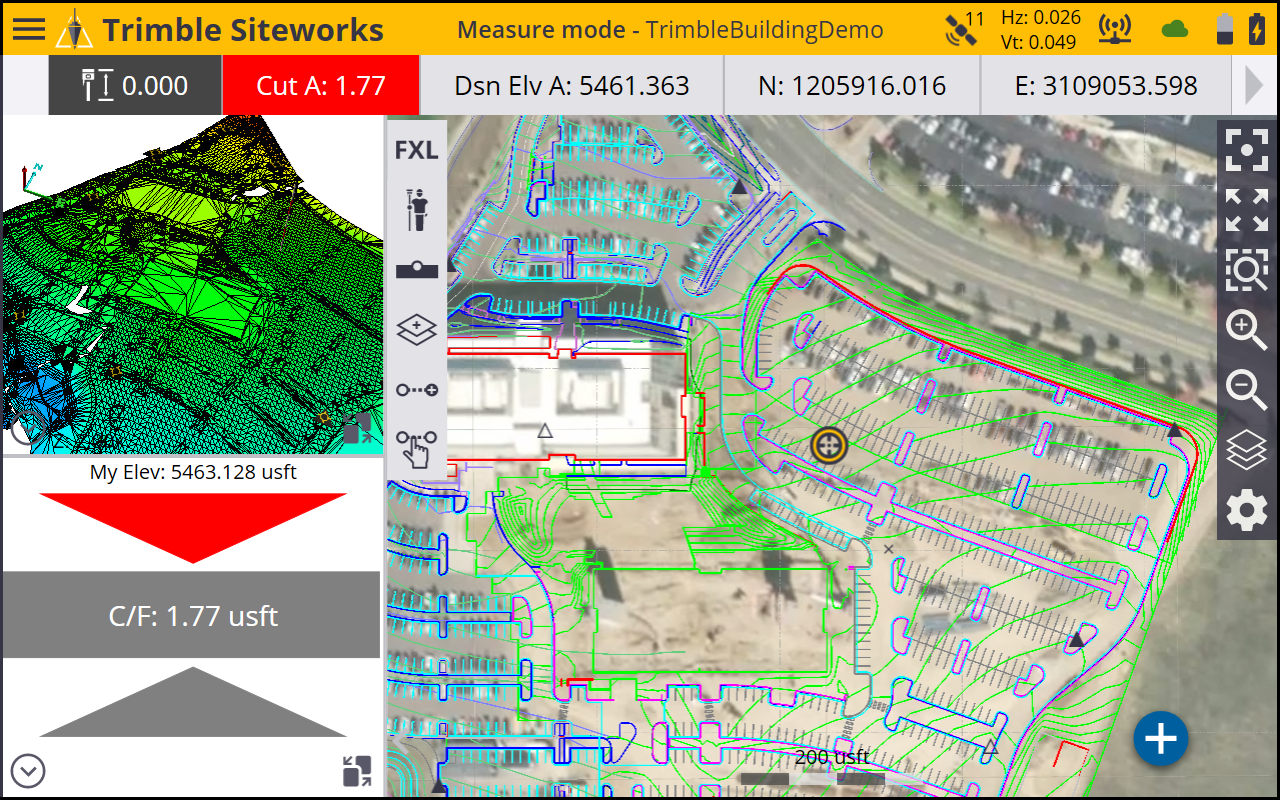
Measurement screen
The Siteworks software is a menu-driven system. From the Map screen you can access the menus through the Home button at the top left of the screen in the yellow status bar. Beneath that is the Info Bar (see Info Bar and Info Panel).
The main map screen contains three panels:
-
One large panel called the main panel.
-
Two small panels on the left side of the screen called the top panel and bottom panel.
These can be set up to display different types of information such as a plan view, 3D surface viewer, cut/fill and horizontal lightbars, eBubble, cross section and profile views, and a live video view when connected to an SX12 scanning total station.